WiFi instructions: Make internet access easy for guests
WiFi access is essential for most guests. Provide clear, easy-to-find WiFi instructions to prevent the most common guest question: "What's the WiFi password?"
أهم النقاط
- •Place WiFi information at the top of your guest guide—guests need it immediately.
- •Include network name (SSID) and password clearly.
- •Provide troubleshooting tips and backup internet options if available.
استخدم wifi instructions مع أتمتة Booking.com
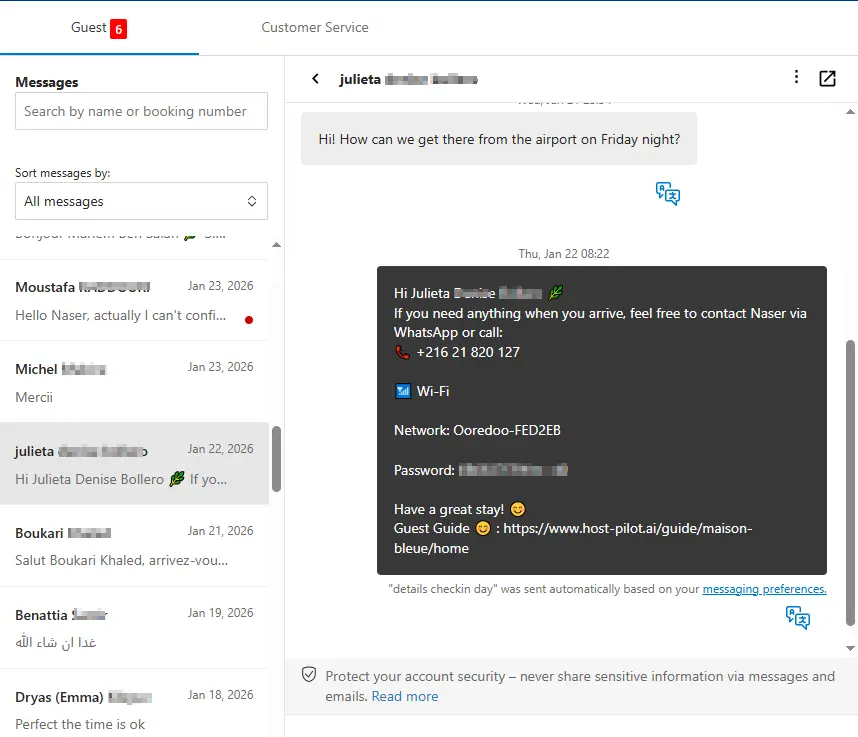
سواء كنت تبني wifi instructions أو تحسّن واحداً موجوداً، يمكنك ربطه بـ Booking.com واستخدام نفس رابط الدليل في الرسائل الآلية. يحصل الضيوف على إجابات متسقة وتحصل على أسئلة متكررة أقل، بغض النظر عن قناة الحجز.
المشكلات الشائعة التي يواجهها المضيفون
- •Guests repeatedly ask for WiFi password
- •WiFi instructions are buried in messages or listing
- •Guests can't connect and don't know how to troubleshoot
- •No backup internet option when WiFi is down
ما الذي يجب أن تتضمنه الحلول الجيدة
- •WiFi information prominently displayed in guest guide
- •Include both network name and password clearly
- •Basic troubleshooting steps for common connection issues
- •Backup internet option (mobile hotspot info or nearby WiFi) if possible
نصائح عملية من مضيفين ذوي خبرة
- Put WiFi info in multiple places: guest guide, check-in message, and a sign in the property.
- Test your WiFi password yourself—ensure it's easy to type on mobile.
- Include instructions for both 2.4GHz and 5GHz networks if applicable.
- Have a backup plan: know where guests can access WiFi if yours is down.
خطوة إجراء: اختر ممارسة واحدة من هذا الدليل لتطبيقها هذا الأسبوع.
خيارات مقارنة
اختر النهج الذي يناسب احتياجاتك.| الخيار | الأفضل لـ | لماذا يعمل أو لا يعمل |
|---|---|---|
| Password in listing only | Hidden | Guests don't check listing details at check-in, still ask for password. |
| Password in message | Partial | Gets buried in inbox, hard to find when needed. |
| Password in guide + property sign | Accessible | Available in multiple places, guests can find it easily. |
Where Host Pilot fits
- •Include WiFi instructions prominently in your guest guide.
- •Make WiFi information easy to find at the top of essential sections.
- •Update WiFi details instantly if you change networks or passwords.
الأسئلة الشائعة
Where should I put the WiFi password?+
In multiple places: at the top of your guest guide, in your check-in message, and on a sign in the property (near the router if possible).
Should I include troubleshooting steps?+
Yes, include basic steps like restarting the router or forgetting and reconnecting to the network. This reduces support requests.
What if my WiFi is unreliable?+
Be transparent with guests. Provide a backup option if possible (mobile hotspot info or nearby WiFi locations) and apologize in advance.
أدلة ذات صلة
هل أنت مستعد لإنشاء دليل الضيوف؟
استخدم هذا الدليل لإنشاء دليل ضيوف فعال. Host Pilot يساعدك في إنشاء أدلة متوافقة مع الجوال ورمز QR وتوصيات محلية.