 Host Pilot
“I like that the board is large enough for guests to see the Wi-Fi password clearly. The rustic appearance suits the space. Being able to stand it on a table or mount it on the wall is useful too.”
A clear welcome starts with the details
Wooden Wi-Fi password sign with marker — 20 cm
$12.97One sign and one marker per unit
Prices include applicable taxes. No tax is added at checkout.
Put your guest Wi-Fi details in an easy-to-find place
Put your guest network name and password in one easy-to-find place. This flat wooden Wi-Fi sign has two write-on areas and comes with a marker. Approx. 20 × 10 cm; 2 mm thick.
Write your network details after delivery. The supplier’s erasable-surface claim still awaits a physical sample test.
Shipping: $5.00
Free shipping on orders of $30.00 or more
Dispatched from Germany
Delivery within 7 calendar days of ordering
In stock
Product benefits
- Two clear writing areasKeep the guest network name and its matching password together.
- A marker includedThe blank sign comes with a marker so you can add your own current details.
- A compact wooden signApproximately 20 × 10 cm and 2 mm thick, with a flat printed design.
What our customers say
“This fits my farmhouse décor, but the practical advantage is changing the information. I frequently update my Wi-Fi password, so being able to erase the previous one and write the replacement makes the board convenient for me.”
“Visitors and babysitters appreciate finding the Wi-Fi sign in the house. Having the information there makes things easier for them.”
More feedback
“I think the sign is attractive and a worthwhile purchase, but the stand was more fragile than expected. My dog knocked it off a very low shelf and it broke. Placement matters if you have pets or children.”
 Read, then connect
A clear welcome starts with the details
Help guests find the network without asking
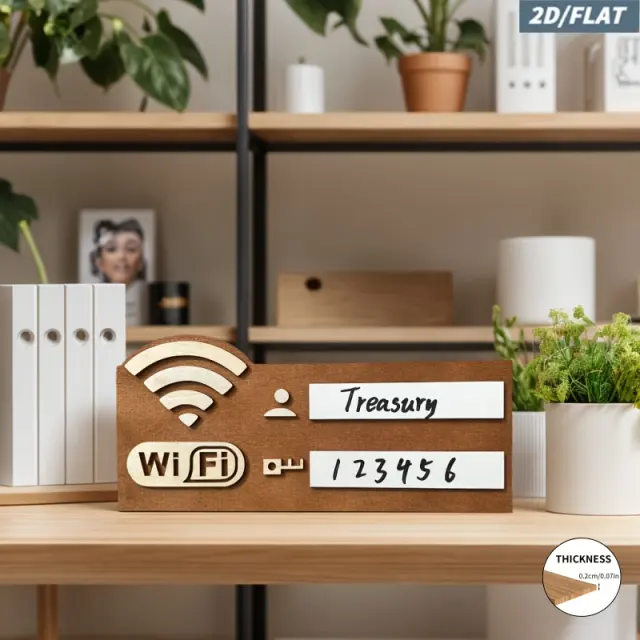
A readable sign gives guests the details they need when they arrive. They read the network name and password, then enter them manually in their device settings. Choose a guest-facing location that keeps private network details out of public view.
Read the network name
Find the name in the top writing area and select the same network in the device’s Wi-Fi settings.
Enter the password
Copy the lower line carefully, including capitals, numbers and punctuation.
Connect on the device
Complete the connection in the device settings. The sign displays written information; it does not connect the device electronically.
Read, then connect
Set up your wooden Wi-Fi password sign
The writing areas arrive blank. Keep your network name and password with you: you do not send them at checkout.
Write the guest network name
Use the upper white area for the exact name guests should choose in their Wi-Fi settings.
Write the matching password
Use the lower white area and check each character. Erasing method and repeat-use performance still need a sample test.
Display and test
Choose a visible, dry spot and a suitable support. Read the sign as a guest would and test a manual connection. Mounting hardware is not specified.
Write your network details after delivery. The supplier’s erasable-surface claim still awaits a physical sample test.
Create a local guest guide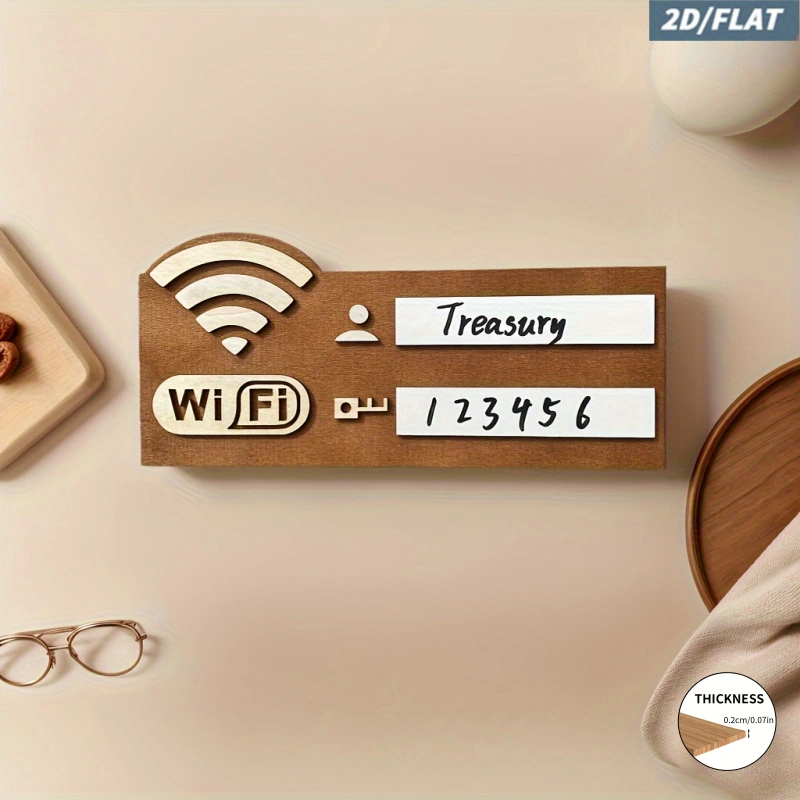
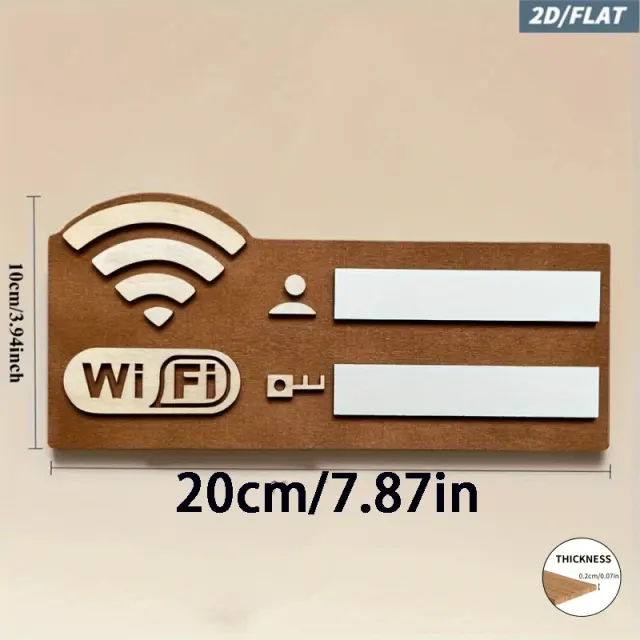
20 × 10 cm · flat/2D
A simple sign, with clear dimensions
| In the package | One wooden sign and one marker |
|---|---|
| Dimensions | Approximately 20 × 10 cm, shown in supplier images |
| Thickness | 2 mm, shown in supplier images |
| Format | Flat/2D printed design; two blank white writing areas |
| Material and care | Wood; species unspecified. Keep dry; not dishwasher safe |
| Guest access | Guests read the details and connect manually in their device settings |
Picture it in your guest space
Example: the welcome folder
Place it beside your guest information so the network details are easy to find on arrival.
Example: a desk or dry shelf
Use a suitable support in a readable position, away from splashes and public view.
Example: your guest guide
Pair the physical sign with a local guest guide for the rest of the stay information. Keep any network details accurate wherever you share them.
A clear welcome starts with the details
Give your guest Wi-Fi details a place of their own
Review the photos and dimensions, then choose how many signs with markers you need.
Product details
In the package: one flat wooden Wi-Fi sign and one marker. The supplier lists one option, “With a pen”. The wood species and mounting hardware are not specified. Size: approximately 20 × 10 cm, with a thickness of 2 mm. The design is flat/2D; the printed artwork can look raised in photographs. 1. Write the name of the network guests should use in the top white area. 2. Write the matching password in the lower area, preserving capitals and punctuation. 3. Put the sign somewhere visible using a suitable support, then check that a guest can read the details and connect manually. Example placement: beside a guest information folder in a holiday rental. An example network name is “Guest Wi-Fi”; write your own current guest-network details after delivery. Keep the sign away from public view if the network is private. The supplier describes the writing areas as erasable. A reliable wiping method and repeat-use performance have not yet been tested on a physical sample. Confirm these before relying on frequent password changes. Keep the wooden sign dry; it is not dishwasher safe. Guests read the details and enter them in their device settings. This model is a written information sign; the Wi-Fi icon does not provide an electronic connection.
Questions and answers
What comes with the wooden Wi-Fi password sign?
One flat wooden sign and one marker. The selected supplier option is “With a pen”. Mounting hardware is not specified.
How do I set it up?
Write your guest network name in the upper area and its password below. Check the spelling, display the sign clearly and test a manual connection.
Can guests tap or scan it to connect?
Guests read the network name and password and enter them manually. This model has no advertised NFC chip or QR connection feature.
Is the design raised or three-dimensional?
It is a flat/2D sign, approximately 20 × 10 cm and 2 mm thick. The printed design can create a raised appearance in the photos.
Can I erase and change the password?
The supplier describes erasable writing areas, but the wiping method and repeat-use performance still need a physical sample test.
Where should I put it?
Use a visible, dry location near your guest information. Choose a suitable support or mounting method; included mounting hardware has not been confirmed.
Do I send you my Wi-Fi password at checkout?
No. The writing areas arrive blank, and you enter your network details yourself after delivery.