 Host Pilot
“I’ve tried other review cards that sent customers through advertising pages, which added another obstacle. This one opened the review page directly. Setting it up took under a minute, and tapping worked properly on mobile phones.”
A little touchpoint for honest feedback
NFC + QR Google review card — 10 cm
$9.00One card per unit
Prices include applicable taxes. No tax is added at checkout.
Make your Google review link easy to find
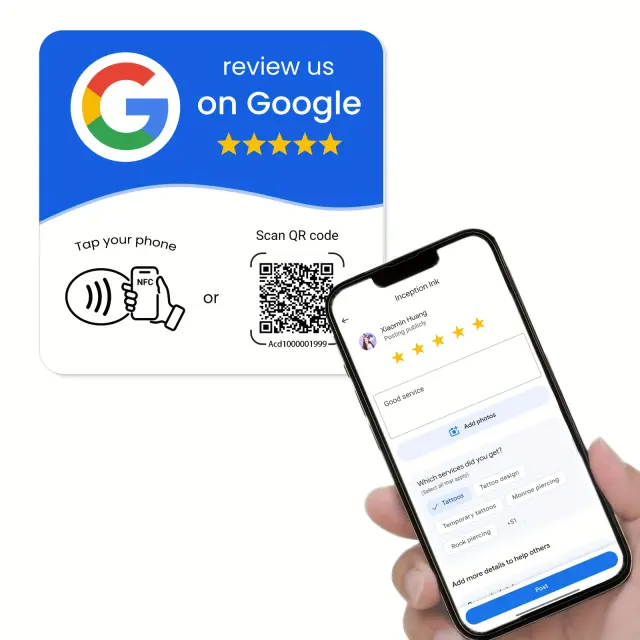
Give guests a simple way to open your Google review link. This flat, adhesive-backed card offers NFC tapping and a printed QR code, with white/blue and black designs. An nfckin.com activation account is required.
Owner activation requires an nfckin.com account and the card’s activation code.
Shipping: $5.00
Free shipping on orders of $30.00 or more
Dispatched from Germany
Delivery within 7 calendar days of ordering
In stock
Product benefits
- Tap or scanNFC for compatible phones, plus a printed QR code as another way to open your link.
- A compact, flat card10 × 10 cm with an adhesive back. Choose white/blue or black.
- Your review destinationAdd your Google review link through the supplier’s activation service after delivery.
What our customers say
“I bought this for my mobile phlebotomy business and found the setup straightforward. I could also connect my website and Instagram. What appealed to me was making it easy for customers to leave feedback while we were together.”
“Getting reviews for my phone-repair business used to mean texting a link or hoping customers remembered later. Now I can open the page on their phone after the repair. The QR option also helps people who aren’t using NFC.”
More feedback
“I found it affordable and simple to configure for our location. Customers can either tap or scan, which I appreciate. During the first week, making the process easier as people left helped us receive several reviews.”
 NFC + QR
A little touchpoint for honest feedback
A clearer path from a visit to feedback
Once activated, the card helps guests reach your review destination without searching for your business. They choose whether to leave feedback and what to say. You need an eligible existing Google Business Profile; individual holiday rentals do not all qualify.
Tap or scan
Guests use a compatible NFC phone or scan the printed QR code.
Open the link
They follow the phone’s prompt to open the destination you configured.
Share an honest experience
Publishing a Google review requires a Google Account. The rating and words remain the guest’s choice.
NFC + QR
Set up your Google review card
The supplier’s instructions show these three stages. Have your existing Google review link ready, then test both ways of opening it.
Scan or tap the card
Scan its printed QR code or tap with a compatible NFC phone to begin activation.
Log in or register
Create or sign in to your owner account at the third-party service nfckin.com.
Activate, add your link and test
Use the card’s activation code and your Google review URL. Save the destination and test NFC and QR before displaying it.
Owner activation requires an nfckin.com account and the card’s activation code.
Google’s guide to finding your review link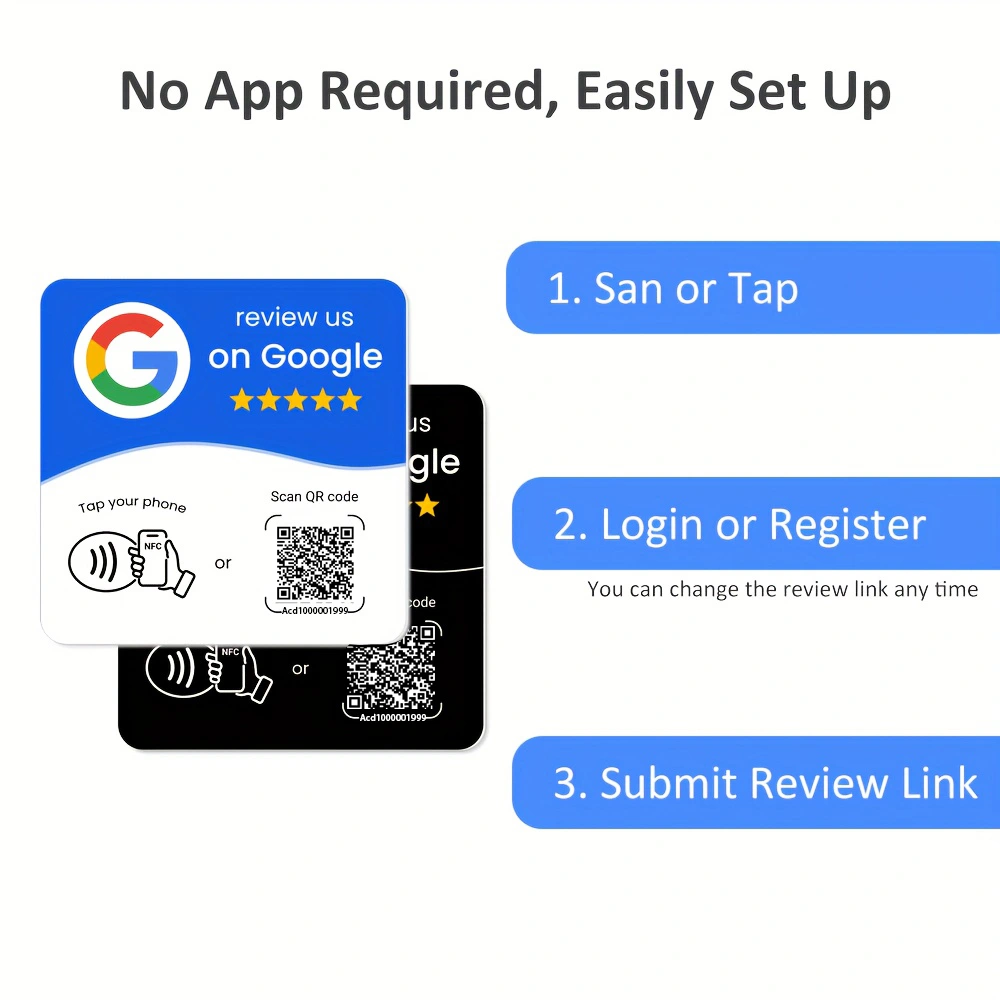
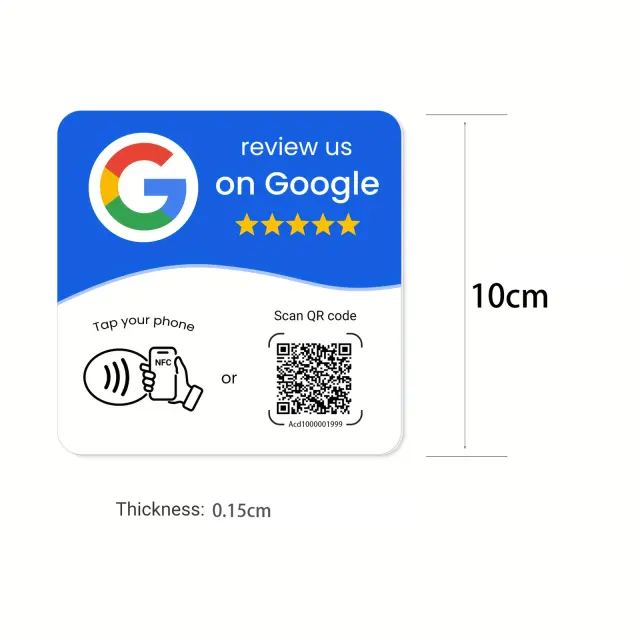
10 × 10 cm
Know exactly what you’re choosing
| In the package | One card in the selected design; phones are not included |
|---|---|
| Designs | White/blue or black, with preprinted English graphics |
| Format | Flat, adhesive-backed square card; no freestanding base |
| Dimensions | 10 × 10 cm, shown in supplier images |
| Thickness | 1.5 mm, shown in supplier images |
| Configuration | NFC + QR; owner account, activation code and Google review link required |
A thoughtful place in your guest experience
At reception
For example, an eligible B&B reception can place the activated card near its guest information. Confirm a suitable surface before fixing it.
An optional check-out reminder
Invite every guest to share an honest experience in their own time, without pressure or a reward.
For an eligible business
Use an existing review-enabled Google Business Profile. A rental office may qualify; an individual holiday home does not qualify simply because it is rented out.
A little touchpoint for honest feedback
Find the design that fits your space
Choose white/blue or black and review the setup details before selecting your quantity.
Product details
WHAT YOU RECEIVE One square, adhesive-backed review card in your selected colour. Supplier images show a 10 × 10 cm card, 1.5 mm thick. This is a flat card, not a freestanding stand; phones shown in the photos are not included. Supplier brand: HACHANLUN. OWNER SETUP 1. Tap with an NFC-capable phone or scan the card's printed QR code. 2. Log in or register with the third-party activation service shown in the instructions: nfckin.com. 3. Open product activation, scan the card code and enter the activation code supplied with your card. 4. Paste your Google Business Profile review link and submit it. 5. Test both NFC and QR before displaying the card to guests. AFTER ACTIVATION Invite honest feedback at reception or check-out. Guests tap or scan to open the configured destination; submitting a Google review requires signing in to a Google Account. The supplier's guide shows changing the destination through the activation account. BEFORE SALE This product draft is awaiting a physical activation test, confirmation of third-party service terms/fees and real inventory. Do not assume lifetime service, universal phone compatibility or a guaranteed number or rating of reviews. The purchase covers physical hardware, not a Host Pilot software subscription.
Questions and answers
How do I set up this NFC + QR review card?
Tap or scan the card, log in or register at nfckin.com, then use the card's activation code to save your Google review link. Test both tap and scan before use.
Do I upload an image or review link at checkout?
No. This is a preprinted card. You configure the review destination after receiving it, using the supplier's activation service.
Which designs and quantities are available?
Choose white/blue or black. Each unit contains one card; the photos showing two colours illustrate the options, not a two-card bundle.
Is this a freestanding review stand?
No. The supplier's front/back photos show a flat, adhesive-backed square card, 10 × 10 cm and 1.5 mm thick.
Does setup require an account or subscription?
The supplier instructions require an nfckin.com activation account. Service fees and terms have not yet been verified for this draft, so no free or lifetime service is promised.
Do guests need to register to leave a review?
Guests must be signed in to a Google Account to submit a Google review. The nfckin.com login shown in the setup images is for configuring the card.
Can I use this card for any holiday rental?
The card needs a review link from an eligible existing Google Business Profile. Individual holiday homes are not eligible for a Business Profile; qualifying hospitality businesses or sales/leasing offices may be. Buying a card does not create eligibility.