Decision guide
Choose the right communication channel
| Guest need | Best channel | Control |
|---|---|---|
| Booking status | Confirmation message | Dates, amount and status are current |
| Arrival action | Short timed message | Access is verified and private |
| Reusable property answer | Mobile guest guide | One reviewed source |
| Emergency or dispute | Responsible person | Clear contact and escalation |
| Direct relationship | Owned website and consented communication | Channel rules and privacy are respected |
Good communication is a system, not a library of long messages
A guest needs different information after confirmation, before arrival, at access, during the stay and after departure. Sending the whole property manual at every stage makes the important action harder to find and creates several copies that can become outdated.
A reliable workflow binds timed messages to current reservation data and points to one reviewed guide for durable facts. Exceptions have a named owner and response expectation. This design remains useful when the booking changes or the standard process fails.
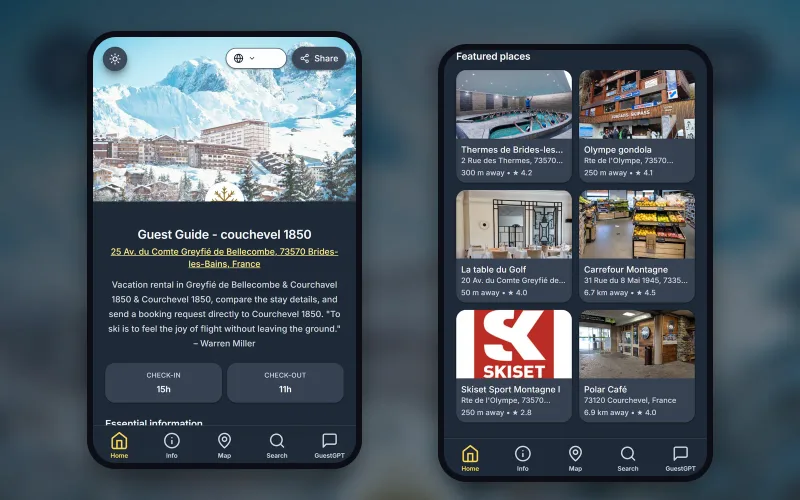
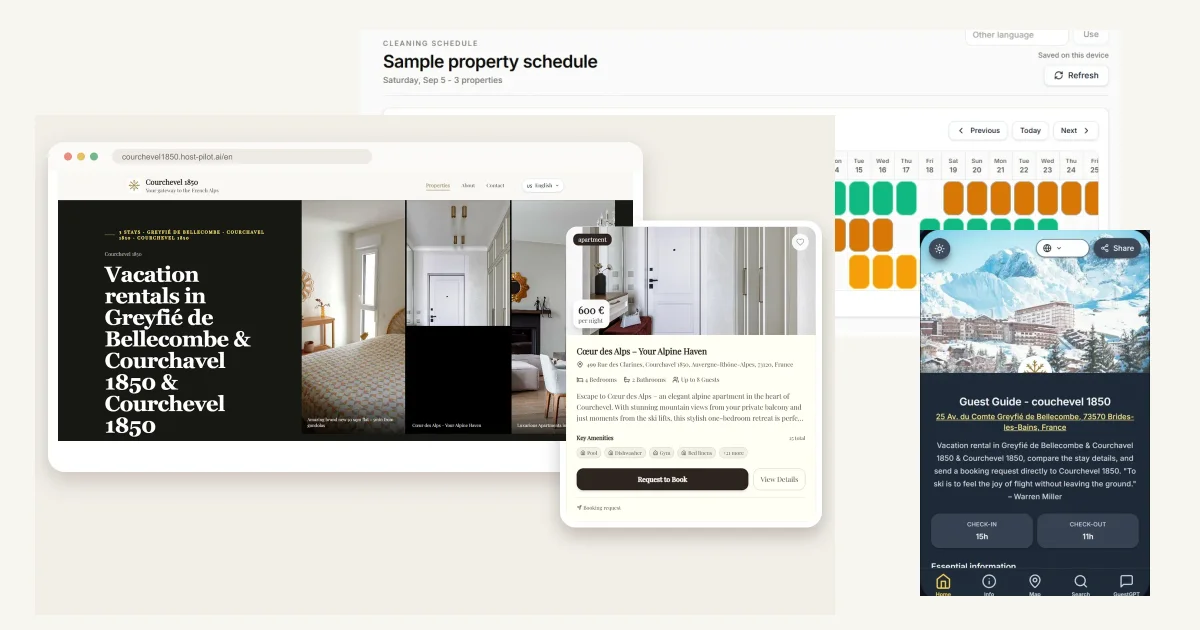
Host Pilot can create the website and guest guide from a listing and connect messages to the same content. GuestGPT can retrieve approved answers, while safety, refunds, complaints and unusual access remain human decisions.
Separate the message from the property guide
A message should confirm status or request the next action. Put Wi-Fi, appliance instructions, parking, rules and recommendations in a guide the guest can reopen by link or QR.
When a property fact changes, correct the guide and verify the link rather than editing several templates. Keep sensitive access details private and time-appropriate.
- Confirmation and next action
- Reviewed durable knowledge
- Private access handling
- Visible human contact
Trigger communication from reservation state
A date change must rebuild future timing; a cancellation must stop access and obsolete reminders. Use current status, property and language as required variables and refuse to send when a critical value is missing.
Test booking, modification and cancellation. A workflow that only handles the original reservation is not automation you can trust.
Write for mobile action and native language
Lead with the purpose, use short sentences and make one primary action obvious. A descriptive link is more useful than “click here.” Read the message aloud and test the longest localized labels on a small screen.
Do not mix English interface text into a localized journey. Brand names can remain, but buttons, errors, captions, policies and help text should use the page and guest language.
Escalate uncertainty without delay
Define the cases that need a person: safety, refunds, damage, complaints, uncertain access and policy exceptions. State how the guest reaches help and who covers after hours.
GuestGPT should answer only from approved guide content and say when it cannot answer. Review unanswered questions to improve the source or escalation rule.
Measure fewer repeated questions, not more messages
Group questions by topic and stage, then inspect whether the content is absent, difficult to find or shared at the wrong time. Improve the root cause before adding another automated send.
Track wrong or duplicate messages, missed escalations and recovery time. After an incident, correct one source, trigger, permission or fallback and retest the affected reservation event.
Realistic example, not a customer story
An early-arrival request meets an unfinished turnover
A guest asks to arrive early. The standard reply would sound helpful, but cleaning has not acknowledged the task. The automation pauses and tells the guest when a person will confirm instead of promising access.
Once the turnover is accepted, the host sends the correct outcome and the arrival guide. The workflow succeeds because uncertainty became visible and human-owned, not because software pretended to know.
Practical workflow
Build property host communication in six steps
- 1
Map journey stages
Define confirmation, pre-arrival, access, stay, departure and follow-up.
- 2
Assign content
Keep timed actions in messages and durable answers in the guide.
- 3
Validate variables
Require current property, date, status, language and link.
- 4
Write stop conditions
Pause on missing access, cleaning, payment or safety information.
- 5
Test changes
Run modification, cancellation and failed-delivery cases.
- 6
Review questions
Repair content, timing or escalation from real guest friction.
Property host communication FAQ
What should a host send after booking?
Confirm the property, dates, status and next step. Keep the message concise and link to durable information when it becomes relevant.
What belongs in a guest guide?
Wi-Fi, parking, appliances, house rules, safety information and recommendations belong in a guide that can be corrected once and reopened.
When should automation stop?
Stop when critical data is missing, the reservation changed, cleaning is unconfirmed or the question involves safety, money or an exception.
Can AI answer every guest question?
No. AI can retrieve approved guide answers, but uncertainty, emergencies, refunds and disputes need a person.
How do I measure communication quality?
Track repeated questions, wrong or duplicate sends, missed escalations and recovery time rather than message volume.
How does Host Pilot help?
Host Pilot connects a listing-led website, digital guide and guest messages so the same reviewed property information supports the journey.
Useful next steps
Improve the guest journey
Start with one reviewed listing
Good communication is a system, not a library of long messages
Property host communication works when each message has a purpose, current reservation state, verified variables and a human escalation path. Use messages for timing and next actions, keep durable property answers in a mobile guest guide, and stop automation when access, cleaning, payment or safety information is uncertain. The goal is clarity and recoverability, not a fictional response-time or rating claim.