Direct booking website for hosts: launch, sync, and convert
A direct booking website for hosts pays off when it runs on a domain you own, keeps availability true with two-way calendar sync, takes payment safely, mirrors the policies guests saw on the platforms, and grows through channels you are allowed to use. This guide covers each decision in order.
Direct booking website for hosts: the short answer
A direct booking website for hosts is worth building when three things are true: you own the domain and guest relationship, availability stays true through two-way calendar sync with every platform you sell on, and the booking experience answers the questions an OTA answers, including total price, policies, and proof that you are real. The site earns its keep through repeat guests, referrals, and audiences you reach through your own channels, not by draining traffic from Airbnb or Booking.com on day one.
Sequence the build around risk, not design. First the domain and calendar sync, because a double booking costs more than any commission saved. Then payment, policies, and trust signals, because a stranger paying a stranger needs both protection and reassurance. Then content, mobile checkout, and measurement. Promote the finished site only through channels the platforms allow: Airbnb prohibits using its messaging or listings to move current, future, or repeat bookings off the platform, so direct growth must come from guests who reach you independently.
Key takeaways
- •Mirror OTA rules to avoid disputes.
- •Two-way sync is non-negotiable for direct bookings.
- •Show totals, policies, and trust signals clearly.
Official sources to check
What this guide helps you decide
The right choice is the smallest workflow that solves the repeating problem without making the rest of your operation harder to run.
Use the sections below to separate an urgent operational need from a feature you simply do not need yet. That keeps your setup useful as the portfolio grows.
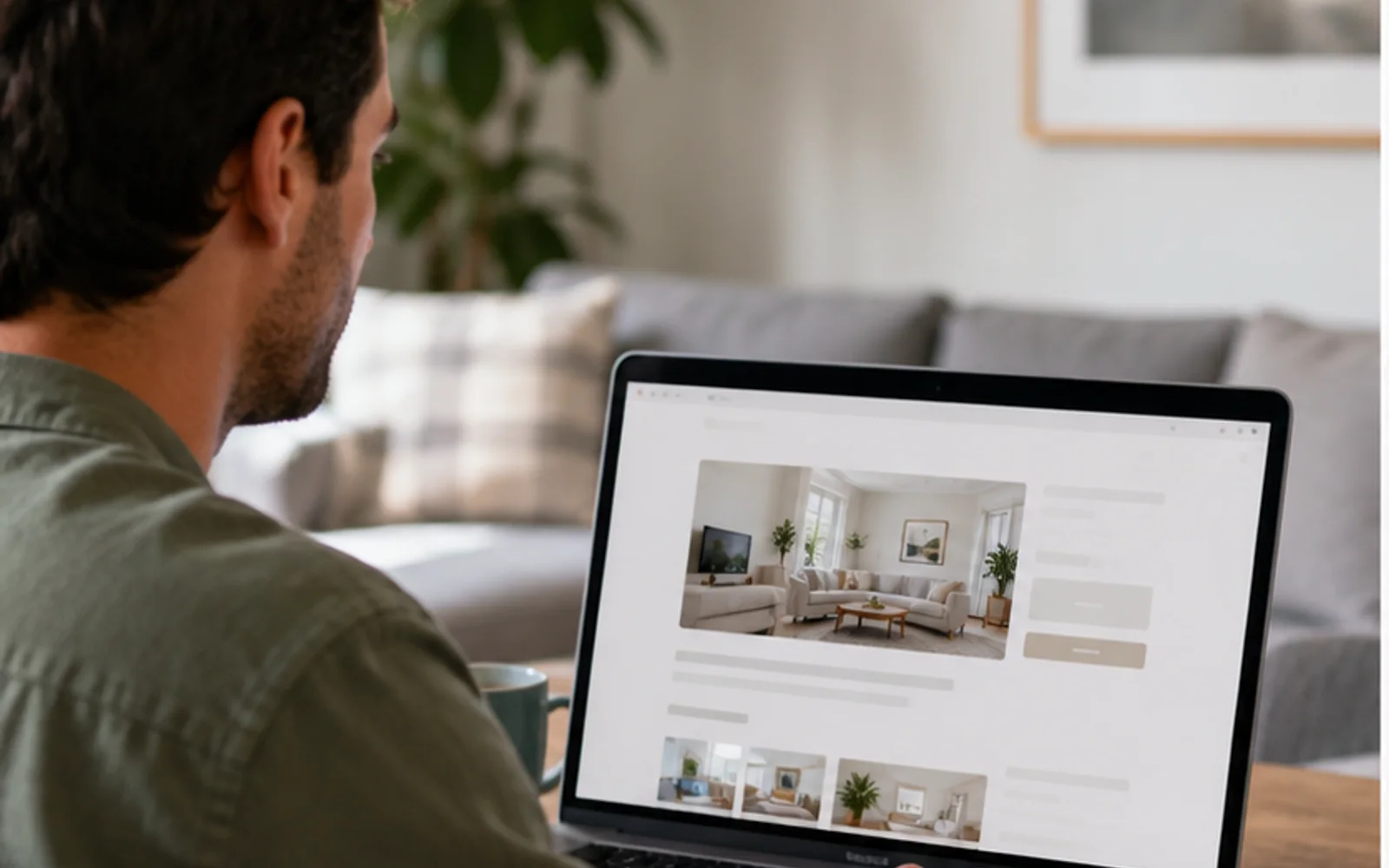

Example: a realistic host workflow
This is a realistic example, not a customer story. A host with two apartments notices the same task slipping each week. They choose one clear owner, one shared source of truth, and one review point before adding another tool. The result is a calmer week because the team can see what happens next.
Decide if a direct booking website for hosts is worth it yet
Run the numbers before the build. Estimate the bookings that could plausibly arrive direct in year one: past guests who asked how to rebook, referrals, a local niche the platforms serve badly, or an audience you already have. Multiply by the commission you would save, then subtract the real running costs: domain, site or builder fee, payment processing, and the hours you will spend maintaining content and answering pre-booking questions that an OTA absorbs today.
If every booking currently comes from platform search and no guest has ever asked to book direct, the honest answer may be not yet. Improve the listing, reviews, and repeat-guest experience first, and launch the site as a slow second channel rather than a rescue plan. A direct site is a long asset: it compounds through repeat stays and links, but it rarely replaces platform demand quickly, and pretending otherwise leads to discount-driven decisions that give away the commission saving anyway.
- Count realistic direct demand first
- Price in your own hours
- Launch as a second channel
- Let it compound, not rescue
Own the domain and the guest relationship from day one
Register the domain yourself, in your own registrar account, with your own payment method, even when an agency or website product sets everything else up. The domain is the durable asset in the whole project: printed QR codes, guidebook links, review mentions, and search history all point at it. A host who owns the domain can change website tools in an afternoon; a host whose tool owns the domain starts from zero every time they switch.
Treat guest contact details with the same ownership mindset and the same care. Collect email and phone at direct booking with clear consent, store them somewhere exportable, and use them for stay logistics and, where the guest agreed, occasional rebooking offers. Keep this list strictly separate from platform guests: contact details that platforms provide for managing a reservation are for that reservation, not for marketing. The list you build honestly from direct stays is small at first and worth more than any scraped one.
Keep availability true with two-way calendar sync
The first technical requirement is not design; it is that a night sold anywhere becomes unavailable everywhere, in both directions, fast. One-way imports that refresh occasionally leave windows where the same night is sellable twice, and the resulting double booking lands on the channel with the strictest cancellation consequences. Before connecting anything, write down every place a night can be sold, including the odd phone booking, and give each one a path into the same availability source.
Test the sync with real reservations, not by reading a settings page. Book a test night on the direct site and time how long the platforms take to block it; make a platform booking and watch the direct calendar. Learn the refresh behavior of each connection, and for any gap longer than minutes, decide the guard: an availability buffer, a manual confirmation step for direct requests, or holding back high-risk dates from one channel. A double booking is an operational incident with a guest attached; prevention is cheaper than the apology.
Choose request-to-book or instant booking deliberately
Instant booking converts better because the guest finishes while motivated, but it commits inventory with no human check. Request-to-book adds friction and a delay yet lets you screen group size, dates, and fit before committing, which suits high-value homes, long stays, and events. Choose per situation rather than by ideology: many hosts run instant booking for standard dates and switch sensitive periods to request, or require requests only for stays above a size threshold.
If you accept requests, answer them like a business. Publish the response time you actually meet, hold the dates during that window so two guests cannot chase one night, and write the decline message once so it stays polite and useful. Every hour a request waits raises the chance the guest books elsewhere; a direct site whose requests go unanswered for a day teaches its best prospects to go back to the platforms, where at least the calendar answers instantly.
Take payments like a business, not a hobby
Use an established payment processor with a hosted or embedded checkout, so card details never pass through your hands, inbox, or spreadsheets. Never take card numbers by message, and never store them yourself. Show the full total, including cleaning and taxes, before the guest commits, and issue a written confirmation with the amount, dates, and policies. Decide deposit handling in advance: whether you take one, how much, when it releases, and how you document the property condition it protects.
Understand disputes before the first one. Card networks let a guest challenge a charge through their bank, and the processor then asks you for evidence; Stripe documentation describes how disputes work and what evidence counts. Your protection is a paper trail: clear policies shown before checkout, the booking confirmation, message history, and check-in records. Refund promptly when a refund is genuinely owed, because fighting a justified dispute costs more in fees and time than the refund, and losing it also costs the fee.
Match policies with your platform listings to avoid disputes
Run one policy set everywhere. When the direct site is stricter than Airbnb, guests who compared feel tricked; when it is looser, every future platform guest has a reason to book direct only for flexibility, and you have two rulebooks to remember under pressure. Mirror the cancellation policy, house rules, check-in and checkout times, guest counts, pet terms, and fees you enforce on the platforms, and review them together whenever one changes.
Write the direct policies in plain language on the booking page, not only in a linked document. A platform provides the neutral referee and the shared record; direct bookings have only what you both read and agreed to. State the cancellation terms with concrete dates for a sample stay, what the deposit covers, and how problems during the stay are handled. Ambiguity in a platform booking becomes a support ticket; ambiguity in a direct booking becomes a payment dispute between two strangers.
Build trust signals a stranger can verify
A guest on your site gives up the protection layer a platform provides, so the site must independently prove three things: the property exists as shown, a real person answers, and paying is safe. Show recent, specific photos with honest captions; name the neighborhood precisely and describe access realistically; publish a contact method that actually responds, and answer pre-booking questions fast, because response speed is itself the trust signal a stranger reads most confidently.
Handle reviews honestly. You may describe your platform track record in general terms and link to your public listing profile, but do not fabricate testimonials, invent star widgets, or paste platform review text as if it were collected on your site. Ask direct guests for a short quote after checkout, with permission and a first name. A modest set of genuine, dated direct reviews reads as more credible than a wall of anonymous five-star praise, and it is the only version that survives scrutiny.
Design the mobile checkout path first
Most guests will meet the site on a phone, often from a QR code in the property or a link in a message thread. Design that path before the desktop one: from landing to paid confirmation in as few screens as honesty allows, with dates, guests, total price, and the book action visible without hunting. Every extra field is a place to abandon; ask at booking only what the booking needs, and collect arrival details later through the pre-stay flow.
Test the path like a skeptical guest on a slow connection. Load the site on a phone outside your Wi-Fi; tap through date selection with a thumb; watch where the total appears and whether it changes unexpectedly at the end. Check that images are sized for mobile rather than resized desktop files, that the payment form does not scroll horizontally, and that the confirmation states what happens next. Fixing the three most annoying moments on mobile does more for conversion than any redesign of the homepage.
Write content that answers what the platforms already answer
A platform listing answers dozens of questions before a guest ever messages: exact sleeping arrangements, amenity details, area orientation, house rules, and what past guests noticed. Your site must reach the same completeness or the guest returns to the platform tab to check, and may simply finish there. Walk through a booking as a stranger and list every question the site leaves open; each one is either missing content or a future pre-booking message you will answer by hand.
For search visibility, follow the basics that Google documents in its SEO Starter Guide rather than chasing tricks: descriptive page titles, one clear page per property and per genuine topic, text written the way a guest would search, useful headings, fast pages, and links from your real profiles and guides. Expect search to be the slow channel. The site converts existing intent from day one; it earns new intent gradually, as genuinely useful pages accumulate history and links.
Measure what the site actually does
Instrument the few numbers that reflect the machine working: visits to the booking path, started checkouts, completed bookings, request response time, and where visitors came from. Add a source question at checkout, because analytics attribution for a QR scan or a word-of-mouth visit is unreliable, and the guest will simply tell you. Review monthly, not daily; direct traffic is small at first and daily noise invites bad decisions.
Judge the site by contribution, not vanity. A month with two hundred visits and zero bookings is a checkout, pricing, trust, or demand problem to diagnose, not a reason to buy traffic. A month with thirty visits and two bookings from past guests is the system working as designed. Track the commission actually saved against the real running cost, including your hours, and revisit the honest question from the start of this guide once a quarter: is the asset compounding.
Grow direct bookings without breaking platform rules
The rules are stricter than most hosts assume. Airbnb prohibits asking or encouraging guests to move current, future, or repeat bookings off the platform, prohibits links in listings or messages that lead people off-platform, prohibits discounts offered to lure a booking away, and prohibits canceling a reservation to rebook it directly. Enforcement can reach listing suspension. Treat the platform messaging thread and the platform listing as spaces where your direct site does not exist.
Grow through channels that are genuinely yours instead. Guests who complete a direct stay can be invited to return, with consent, through your own list. The property itself can carry the brand: the guest guide, the QR code, the Wi-Fi landing page, and the printed card all reach a guest who already trusts you, after a stay booked on your site. Referrals, local partnerships, and your own social profiles reach people who have never touched a platform listing. This is slower than poaching and it is the version that does not risk the channel that still pays most of the bills.
Test before launch and recover when something breaks
Before telling anyone the site exists, run one complete real booking with a real card: book, pay, receive the confirmation, watch the platform calendars block, then cancel and watch the refund and the calendars reopen. Test the failure paths too: a declined card, an abandoned checkout holding dates, a request-to-book that gets declined, a booking modified after payment. Every path a guest can enter needs a defined exit, and launch day is the wrong time to discover one is missing.
Prepare a short recovery plan for the three incidents that matter. For a double booking, decide in advance which channel you protect and what you offer the displaced guest, then act within hours. For a payment or refund failure, keep processor support contacts and the transaction record at hand, and tell the guest what is happening before they ask. For a site outage close to arrivals, hold a fallback: booking by message with a payment link, and a printed or offline copy of upcoming reservations. Direct booking means you are the support department; a written plan is what makes that sustainable.
How to launch a direct booking website in seven steps
Step 1
Prove the demand
Estimate realistic year-one direct bookings and compare saved commissions with the full running cost.
Step 2
Register the domain yourself
Own the registrar account and keep the domain portable across any future website tool.
Step 3
Connect two-way calendar sync
Link every sales channel to one availability source and time the sync with test bookings.
Step 4
Configure payment and policies
Set up a hosted checkout, full-total display, deposit terms, and platform-matched policies.
Step 5
Complete the content
Answer every question the platform listing answers, with honest photos and verifiable trust signals.
Step 6
Run one real end-to-end booking
Book, pay, confirm, watch calendars block, then cancel and verify refund and reopening.
Step 7
Launch to your own channels
Start with past direct guests, referrals, and on-property links, and measure monthly contribution.
Common problems hosts face
- •Double-bookings because direct calendars are not synced
- •Unclear house rules on the direct site leading to disputes
- •Slow checkout flow that scares guests back to OTA listings
- •Site design takes priority over trust signals and policies
What good solutions should include
- •Two-way sync with Airbnb/VRBO plus instant block when direct bookings confirm
- •Policies and fees identical to OTAs to avoid surprises
- •Secure, fast checkout with clear totals and payment options
- •Trust signals: reviews, location clarity, and contact details
Practical tips from day-to-day hosting
- Copy the exact policies you use on Airbnb to keep expectations aligned.
- Add a short FAQ on deposits, ID checks, and cancellations on the booking page.
- Link to your guest guide after checkout so travelers arrive prepared.
- Promote direct only to past guests and email subscribers first to test the flow.
Mid-guide action: pick one change to test this week (e.g., add an approval-based arrival template or set a weekend rate floor) and measure response time or occupancy impact.
What good solutions should include
- •Two-way sync with Airbnb/VRBO plus instant block when direct bookings confirm
- •Policies and fees identical to OTAs to avoid surprises
- •Secure, fast checkout with clear totals and payment options
- •Trust signals: reviews, location clarity, and contact details
A practical seven-day rollout
Do not change every process at once. Start with the highest-friction step, test it for one full booking cycle, then document the result.
- Mirror OTA rules to avoid disputes.
- Two-way sync is non-negotiable for direct bookings.
- Show totals, policies, and trust signals clearly.
Put guest information in the right place
Send time-sensitive facts in the message, keep durable details such as Wi-Fi, parking, house rules, and local recommendations in a mobile guest guide, and let the direct booking website set expectations before a guest books. Host Pilot can generate those connected assets from one listing when that workflow fits.
Tools and options compared
Choose the option that fits your portfolio size.| Option | Best for | Why it works / doesn't |
|---|---|---|
| DIY site builders | Design | Look good but often miss calendar sync and trust elements. |
| Marketplace booking engines | Templates | Faster setup but can feel generic without host-specific copy. |
| Host Pilot | Host-ready | Calendar sync, policies, and guide links built in—keep fees down without extra admin. |
Where Host Pilot fits
- •Direct booking pages that mirror your OTA rules.
- •Calendar sync prevents double-bookings.
- •Guide links post-checkout reduce support messages.
FAQ
Is a direct booking website worth it for a small host?+
Yes when repeat guests, referrals, or a niche audience already find you, because saved commissions then outweigh the running cost. If every booking still comes from platform search, fix the listing first and launch the site as a slower second channel.
How do I prevent double bookings between my website and Airbnb?+
Use genuine two-way calendar sync so a direct booking instantly blocks the platform calendars and platform bookings block the site. Test it with a real reservation before promoting the site, and check sync timing rather than assuming it is instant.
Can I ask Airbnb guests to book direct next time?+
Not through Airbnb. The Off-Platform Policy prohibits using Airbnb messaging or listings to move current, future, or repeat bookings off the platform. Grow direct bookings through your own channels: guests who find you independently, your guest guide after a direct stay, and your own audience.
How should a direct booking site take payment?+
Use an established payment processor with dispute handling, show the full total before checkout, and never collect card numbers by message or store them yourself. Decide deposit and refund handling in writing before the first booking.
Do I need a custom domain?+
Own the domain from day one, registered in your name, even if the site starts on a builder. The domain is the durable asset: it keeps your links, QR codes, and search history working when you change tools.
How do I get a direct booking website found on Google?+
Cover the basics from the Google SEO Starter Guide: descriptive titles, one clear page per property and area, honest text a guest would search for, fast mobile pages, and links from your own profiles. Expect search to build slowly; direct traffic from past guests and referrals arrives first.
Related guides
Keep hosting simple
Use this guide to tighten your workflow, then add the tools that save you the most time. When you are ready, Host Pilot can handle messaging, pricing guardrails, and guest guides in one place.