Digital guidebook

Guest Guide for Airbnb & Short-Term Rentals

Give guests everything they need — without repeating yourself.

If you want the guide plus the site and workflow around it, see how airbnb guest experience automation starts from one listing URL and generates the guest-facing setup faster.

  • Wi-Fi, check-in, rules & contacts in one place
  • Interactive map with saved places
  • Share instantly via link or QR code
9:41

Loading guide...

Start with the listing you already have

Turn your listing into a mobile guest guide for this property

Paste your Airbnb or Booking.com listing URL. Host Pilot imports the property details and opens the guided setup for a mobile guest guide for this property.

Next: create your account and start the 30-day free trial. A payment method is required before generation.

Listing URL → direct booking website → guest guide → guest communication

What guests see

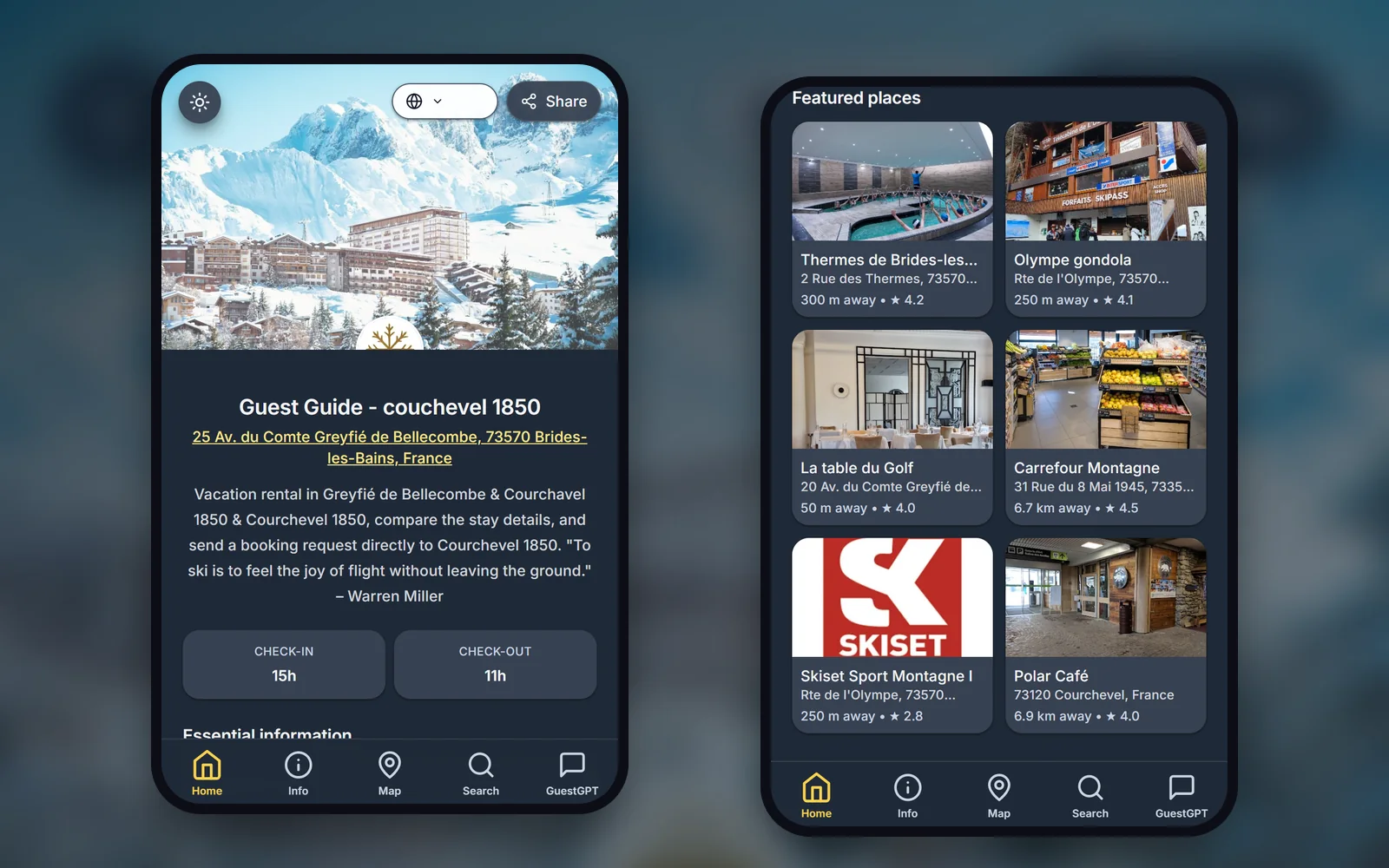
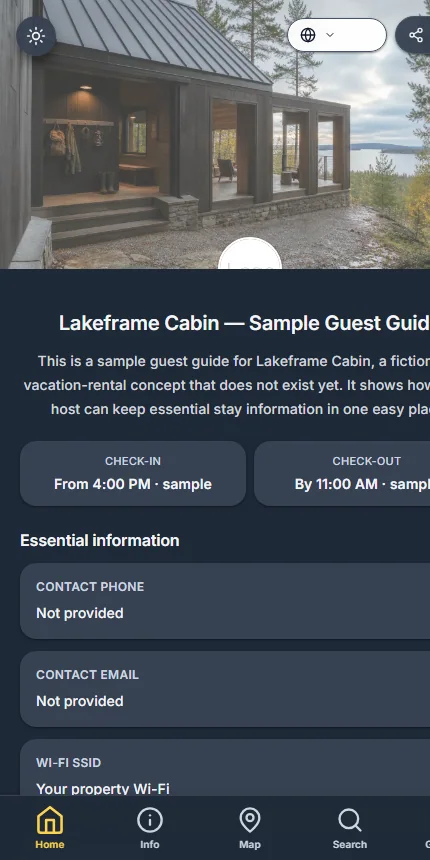
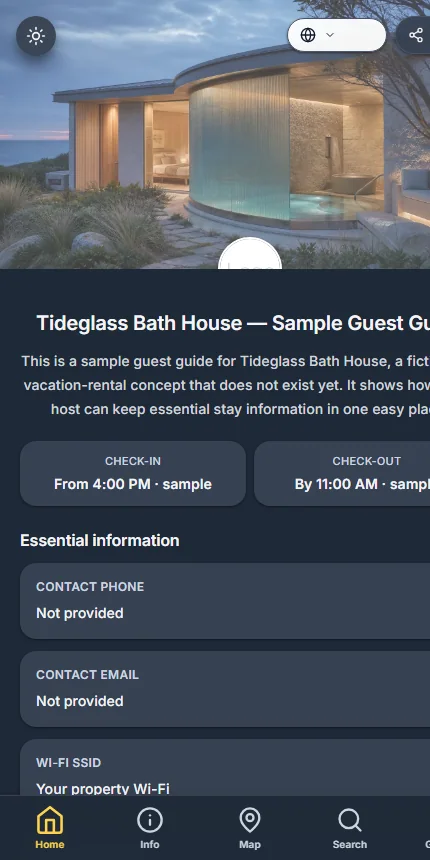
What guests see (real guide example)

Tab-based digital guidebook: Home / Info / Map / Search / Share.

Home tab — essentials at a glance with GuestGPT

Home tab — essentials at a glance with GuestGPT

  • Property address & contact
  • Wi-Fi, check-in & check-out
  • GuestGPT AI assistant for instant answers
  • Quick access for guests
GuestGPT tab — AI virtual concierge

GuestGPT tab — AI virtual concierge

  • AI-powered answers to guest questions
  • Instant responses about WiFi, check-in, parking
  • Access to full guide content and availability
  • Natural conversation interface
Map tab — visual orientation with saved places

Map tab — visual orientation with saved places

  • Saved places on a live map
  • Easy navigation around the property
  • Fewer 'how do I get there?' questions
  • Interactive Google Maps integration
Info tab — organized property details

Info tab — organized property details

  • Property address, WiFi, and check-in details
  • Parking information and contact details
  • House rules and essential information
  • Easy-to-find information organized by category
Share tab — link & QR code

Share tab — link & QR code

  • Share via link or QR code
  • Works on any phone
  • No app download required
  • GuestGPT available in every shared guide

Why hosts use a digital guest guide

Fewer repetitive guest questions

Smoother check-in & arrival

Better reviews from informed guests

Less stress, more automation

Looking for an alternative to Touch Stay?

If you're comparing guest guide tools, Host-Pilot gives you a clean, mobile-first guide that's fast to set up and easy for guests to use. Compare with TouchStay alternative, Hostfully alternative, Lodgify alternative, and Guesty alternative.

Simple setup — no complex onboarding
Mobile-first tab layout
Built-in map & places
Share via QR code or link
Designed for small hosts (1–20 listings)

Questions from hosts

FAQ about the vacation rental guest guide

Clear answers for Airbnb, Vrbo, and Booking.com hosts.

How long does setup take?

Most hosts publish their first guest guide in under 10 minutes using details they already have (Wi-Fi, check-in, contacts).

Do guests need to install an app?

No app needed. The guide opens instantly in the browser on any phone, tablet, or laptop.

Can I update the guide anytime?

Yes. Edit the guide whenever you need—changes are live immediately on the same link and QR code.

Is it one guide per property?

Yes. Each property gets its own guide so guests see the right Wi-Fi, access, rules, and local spots.

Can I share via QR code?

Yes. Every guide includes a share tab with both a link and QR code so you can print, text, or message it.

Does it work for Airbnb & Booking guests?

Yes. Share the same guide link in any channel message; guests open it without logging in.

Learn more about guest guides

Explore our comprehensive guides on creating effective guest guides, templates, and best practices.

Own a property locally and need physical operations as well as digital guidance? See our Berlin Airbnb management and co-hosting service.

GSC performance refresh

vacation rental hosting guide: a practical host guide

A vacation rental hosting guide gives guests one reliable mobile place to find the details that make a stay work: arrival information, Wi-Fi, house rules, appliances, local recommendations, and help. It should complement short, timely messages rather than trying to replace every guest conversation.

How to make vacation rental hosting guide useful in day-to-day hosting

vacation rental hosting guide is most useful when it resolves a specific operating problem: guests cannot reliably find durable stay information after the original message thread becomes long or buried. Start by documenting the guest or host moment where this breaks down, the information needed to resolve it, and the person who owns the next action. This turns a broad search into a decision a small team can actually test.

Do not judge vacation rental hosting guide only by a feature list. A strong workflow has one verified source for property facts, a clear handoff between guest-facing and host-facing work, and a simple way to review exceptions. The useful result is less searching, fewer conflicting instructions, and a guest who understands what happens next.

Review the complete booking cycle before making a change: discovery, reservation, pre-arrival, arrival, stay, checkout, and the opportunity to return. A tool or guide earns its place only when it improves a particular point in that cycle without creating more manual reconciliation later.

Treat the information architecture as part of the operating process. A public website should help a visitor decide whether the property fits. A booking confirmation should confirm the next step. A guest guide should hold durable stay details. A short message should handle time-sensitive prompts. When the same fact has a clear home, hosts do less copying and guests do less searching.

Before changing a workflow, collect the questions that arrive more than once and the places where a co-host has to ask for context. Those are better starting signals than a generic feature request. After the change, compare the same signals over a full booking cycle. This preserves useful human contact while removing the repetitive work that makes hosting feel reactive.

A simple measurement note makes the learning durable: record the original issue, the change made, the expected result, and the exceptions that appeared. This is especially valuable when a property, season, or team member changes. It helps the host improve the process deliberately instead of repeatedly rebuilding it from memory.

A four-step vacation rental hosting guide workflow

1. Define the outcome

List the information guests repeatedly need before arrival, at the door, during the first evening, and before departure.

2. Build one reliable source

Verify every detail at the property, organise it in a mobile-first guide, and decide which information should never be public before booking.

3. Test a real booking cycle

Share the vacation rental hosting guide through the confirmation and arrival flow, then ask a trusted guest or co-host to test whether the key facts are easy to find.

4. Measure and refine

Review repeat questions and update the guide after a property, router, lock, rule, or recommendation changes.

Who this is for

vacation rental hosting guide is a good starting point for hosts who want a practical improvement to a repeatable workflow before adding more complex systems or handing the process to a larger operations team.

When another approach may fit

Choose a heavier tool or a specialist workflow when your operation needs complex accounting, multi-owner reporting, deeply customised channel controls, or a process that cannot be handled through one shared source of property information.

What good progress looks like

After implementing vacation rental hosting guide, review whether the correct person can find the answer faster, whether guests complete the next step with fewer questions, and whether every public or guest-facing detail still matches the property.

Mobile vacation rental hosting guide for a short-term rental guest
Guests need a guide that is simple to open and navigate while they are at the property.
Vacation rental hosting guide showing practical stay information
A guide keeps durable property information available after the original message is no longer easy to find.

Common vacation rental hosting guide mistakes

  • Adding vacation rental hosting guide before deciding which problem it must solve.
  • Maintaining multiple versions of the same property or guest information.
  • Measuring activity rather than whether a host or guest can finish the next task.
  • Making every change at once instead of learning from one complete booking cycle.

vacation rental hosting guide FAQ

What is the best way to start with vacation rental hosting guide?

Start with one recurring problem, document the current process, choose one source of truth for the needed information, and test the revised workflow through one full booking cycle before expanding it.

How do I know whether vacation rental hosting guide is working?

Look for fewer repeated questions, fewer manual searches, clearer handoffs, and a guest journey where the next action is obvious. Review exceptions instead of assuming fewer messages always means a better stay.

Can a small host use vacation rental hosting guide?

Yes. A small host should begin with the smallest useful version of vacation rental hosting guide: accurate property information, a concise guest-facing flow, and a clear way to handle exceptions personally.