Import once

Turn your Airbnb or Booking.com listing into a direct booking website and guest guide.

Guest communication

Stop Sending the WiFi Password by Hand

Built for hosts with 1–10 properties

WiFi is one of the most common guest questions. When hosts send it manually every time, it becomes another repetitive task that interrupts the day.

Short answer: what a good airbnb wifi password message does

A strong airbnb wifi password message gives the guest the next useful step about WiFi access without forcing them to ask twice. Keep it short, personal, and specific: share the network, password, router location, and where to find troubleshooting steps. If the message starts to become a mini manual, link to the guest guide instead.

When to send it

  • Send it before arrival and keep the same details inside the guest guide.
  • Send it before the guest has to make a decision about WiFi access.
  • Let automation handle the repeatable part, then answer personally when the guest has an edge case.
Guest journey moment for WiFi access in a short-term rental stay
The guest moment: WiFi access should feel clear before the guest has to ask.
Host workflow illustration for managing WiFi access with guest messages and a guide link
The host workflow: one message, one guide link, and fewer repeated questions.

Simple solution

Put the WiFi password inside the guest guide and send one message that answers WiFi, access, and stay basics together.

Start free trial

2 min - see exactly how it works

Practical host story (example)

Example, not a testimonial: A remote worker arrives, opens a laptop, and needs the password before unpacking. The win is not a longer message. The win is one calm message about WiFi access, with the important detail up front: share the network, password, router location, and where to find troubleshooting steps.

Copy/paste airbnb wifi password message templates

Use these airbnb wifi password message examples as starting points. Replace the placeholders, keep the tone human, and link to your guest guide when the answer needs more detail.

Warm version

Best when the guest has already messaged you and you want to sound personal.

Hi {{guest_name}}, thanks for reaching out about WiFi access. share the network, password, router location, and where to find troubleshooting steps. Point guests to the guide if the password is hard to type. Full details are here: {{guide_link}}

Why this works

It acknowledges the guest first, answers directly, and moves the detailed instructions into the guide.

Short version

Best for mobile guests who only need the answer.

Hi {{guest_name}}, quick note on WiFi access: share the network, password, router location, and where to find troubleshooting steps. Details: {{guide_link}}

Why this works

It keeps the answer scannable and reduces the chance the guest misses the link.

Automated version

Best for scheduled messages or saved replies.

Hi {{guest_name}}, here is the important info for WiFi access. share the network, password, router location, and where to find troubleshooting steps. If anything looks different for your stay, reply here and I will help.

Why this works

It feels automated but still gives guests permission to ask when their situation is different.

Guide-link version

Best when the answer includes WiFi, parking, check-in, house rules, or local recommendations.

Hi {{guest_name}}, I put the full WiFi access details in the guest guide so you can open them anytime: {{guide_link}}. Point guests to the guide if the password is hard to type.

Why this works

It keeps the message light and trains the guest to use the guide before sending another question.

Why hosts use this

Hosts usually look for airbnb wifi password message when they want a simpler way to handle guest communication, arrivals, bookings, or day-to-day operations without adding extra admin.

Answer the fastest question instantly

Guests get WiFi details without waiting for you to reply or hunting through old messages.

Bundle WiFi with the right context

Send WiFi together with access, parking, and house rules instead of as a one-off reply.

Reduce night and weekend interruptions

One clear message prevents avoidable “what is the WiFi?” follow-ups during the stay.

Common mistakes to avoid

  • Writing one long paragraph that hides the action
  • Sending the message too late for the guest to use it
  • Repeating guide details in every thread instead of linking the guide
  • Sounding so automated that guests hesitate to reply

What belongs in the guest guide instead

The message should create clarity. The guide should hold the detail guests may need later, especially on mobile after arrival.

  • Full access steps with photos
  • WiFi and parking details
  • House rules guests may need later
  • Local recommendations and emergency contacts

How Host Pilot keeps this simple

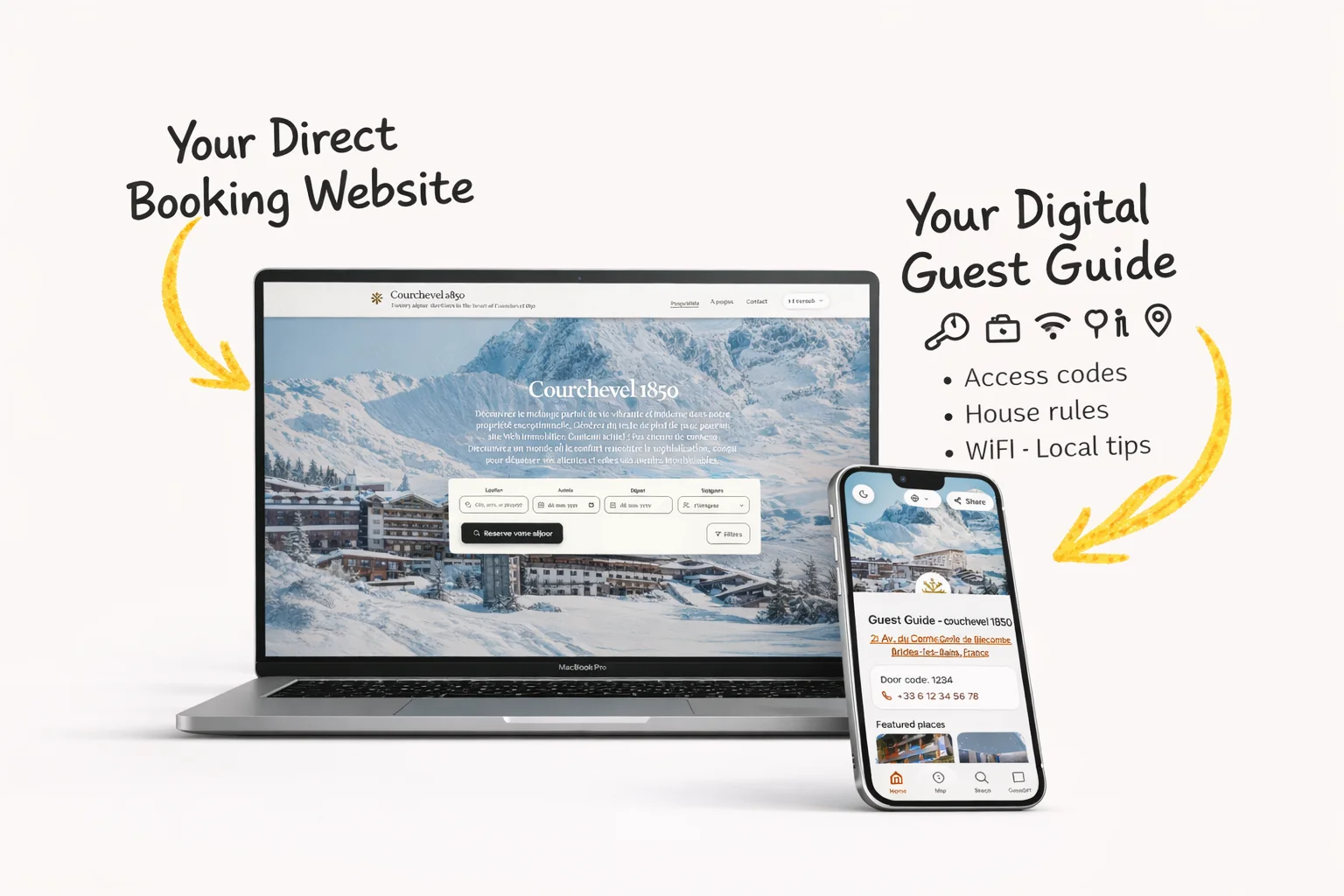
Host Pilot is useful here because the message, guest guide, and direct booking website can come from the same listing setup. Paste your Airbnb or Booking.com listing URL, then use the generated guest guide link inside automated guest communication. Less guest questions. More direct bookings.

  • Generate a direct booking website from one listing.
  • Generate a mobile guest guide guests can open by link or QR code.
  • Connect guest communication to the same stay information instead of rewriting it in every thread.

Example WiFi message

Optional example

Use one short message instead of a custom reply every time:

Hi {{guest_name}}, your WiFi, check-in details, and house guide are here: {{guide_link}}

Quick FAQ

Quick answers for hosts comparing options and trying to fix guest communication, arrival, and operations pain points.

What is this?

This is a simple Airbnb WiFi password message setup that lets hosts share WiFi and other stay details in one clear guest link.

How does it work?

You store the WiFi details in the guest guide and send one message that gives guests access to that guide before they ask.

Can I use it with Airbnb/Booking?

Yes. Hosts can use the same WiFi-sharing process for Airbnb and Booking.com reservations so guests get consistent information.

What should I include in a airbnb wifi password message?

Include the decision the guest needs, the timing, and the next step. For WiFi access, the key detail is: share the network, password, router location, and where to find troubleshooting steps.

Should I automate a airbnb wifi password message?

Yes for repeatable timing and standard answers. Keep room for a personal reply when the guest has a special request or something operational has changed.

Related pages

Browse nearby host workflows from the hub so you can compare practical next steps without starting over.

City examples for hosts

See how this workflow supports hosts in five busy short-term rental cities, with local guest expectations, arrival patterns, and direct-booking opportunities in mind.

Start free trial

Use Host Pilot to connect guest communication, guest guides, direct bookings, and operations in one workflow built for smaller host teams.