Free host resource library

Free Airbnb host tools, templates and checklists

Choose the task you need to finish today. Calculate booking costs, prepare clearer guest messages, test calendar connections, organize turnovers or handle reviews with practical tools that show their assumptions and limits.

Inputs in the existing browser calculators stay in your browser and are excluded from analytics. Submitted URLs and public source data are processed on our servers and by Apify and OpenAI. No signup is required. Do not submit private access details.

Start with the problem you need to solve

Each toolkit groups a connected part of hosting. Open one focused tool now, or use the complete hub when you need the full workflow.

Business & Travel Tools

Choose one task and get a source-linked report from a small public-data sample. These tools help local businesses, travelers and creators turn scattered information into a practical comparison.

Use this collection when you need an initial comparison or an actionable review summary. For Airbnb hosting tasks, start with the existing hosting toolkits.

Explore business and travel tools
Vacation-rental host workspace connected to direct booking, guest communication, calendar safety and review tools
Start with one hosting problem, then follow the links to the calculator, checklist or template that resolves it.

Templates and checklists by task

What do you need to do?

Browse by the moment in the guest journey instead of guessing which format or product you need.

Price and prepare direct bookings

Compare costs, build a complete price and plan how money will be collected.

Confirm and prepare an arrival

Give guests the correct booking status and the information they need before travel.

Answer repeated guest questions

Turn recurring questions into short replies and stable self-service information.

Manage check-in and the stay

Keep arrival instructions usable and create sensible touchpoints during the stay.

Organize checkout and post-stay follow-up

Set clear departure expectations and follow up without review pressure.

Keep calendars and turnovers under control

Test availability connections and give cleaning work an accountable process.

Prepare rules, guides and booking terms

Separate material booking terms from practical stay instructions and damage handling.

Practical host tools

Continue with the property task you need to finish

Each focused tool produces a checklist, draft, worksheet or decision record from the facts you provide.

Put information in the right place

A message should not carry the whole stay

Guests find information faster when each system has one clear job. Use this routing guide before adding another long automated message.

Information or decisionBest place to keep it
Booking, payment or refund decisionSecure booking record
Arrival reminder or time-sensitive updateGuest message
Door code or private access informationStay-specific private message
Wi-Fi, appliances, parking and local guidanceDigital guest guide
Availability and blocked nightsCalendar or channel manager
Internal cleaning or maintenance issueHost operations record
Vacation-rental information routed between booking records, guest messages, private access, guest guides, calendars and operations tasks
One source of truth works only when public, private and internal information have different destinations.

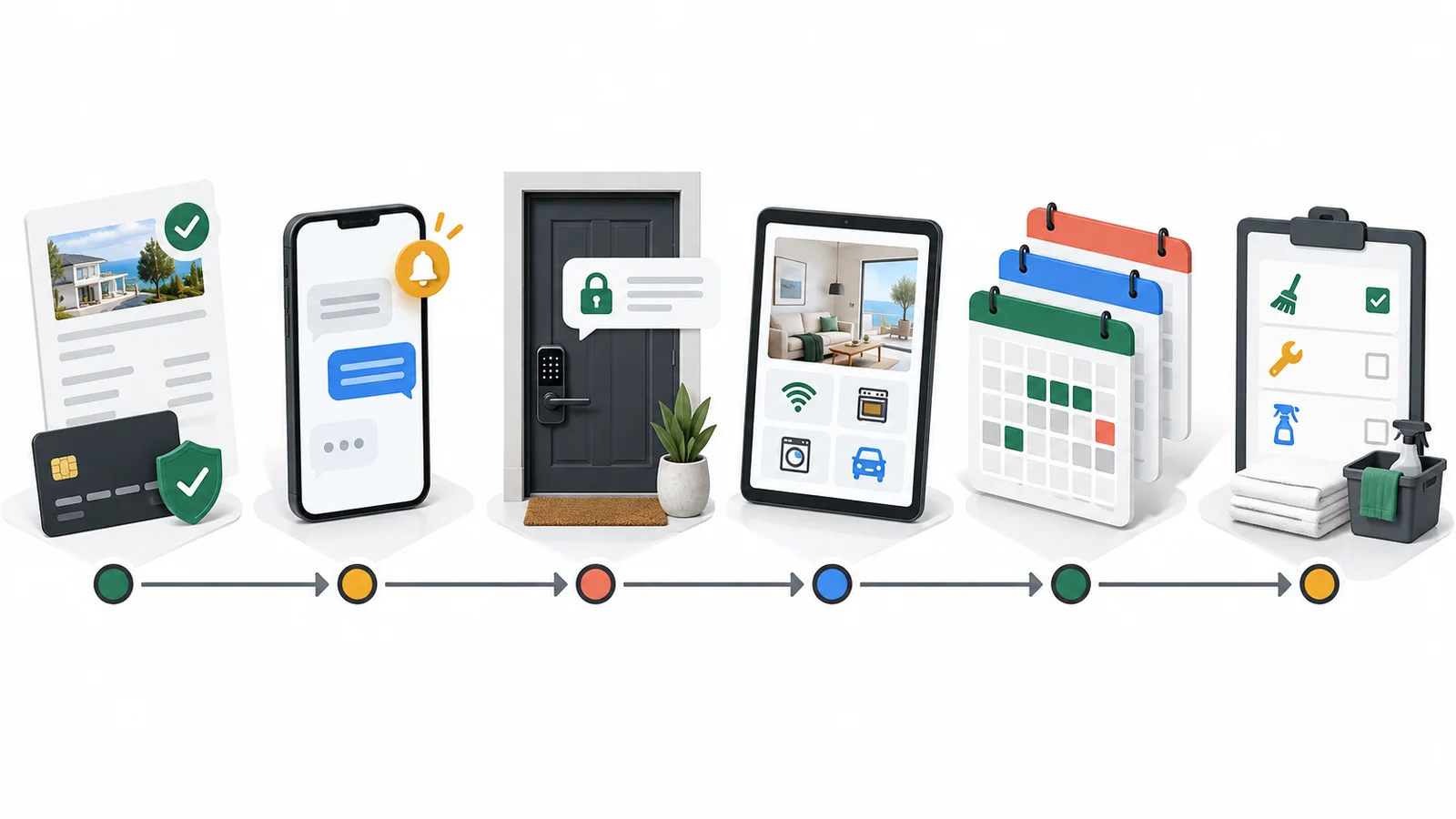
Use the tools as one operating sequence

A reliable stay starts before the first message. Work from the commercial decision toward the guest experience, then review what should improve next time.

  1. 1. Price and terms

    Confirm the complete price, payment process, cancellation terms and responsibilities.

  2. 2. Calendar safety

    Verify availability, both sync directions and the limits of delayed iCal feeds.

  3. 3. Communication plan

    Schedule only predictable touchpoints and keep exceptions with a person.

  4. 4. Stay operations

    Keep stable property information in the guide and operational issues in tasks.

  5. 5. Review and improve

    Close the stay fairly, review repeated questions and fix the source of friction.

Current platform and policy context

Four rules worth checking before you automate

Platform behavior and pricing rules change. These official sources explain the boundaries behind several tools in this library.

Evidence checked September 2026

Scheduled Airbnb messages use reservation events

Airbnb supports scheduled quick replies around reservation, check-in and checkout triggers, with exceptions that still need review.

Official source: Airbnb scheduled messages

Home reviews use a 14-day window

For home stays, Airbnb generally gives both sides 14 days after checkout; the Airbnb interface remains authoritative for a reservation.

Official source: Airbnb review timing

Mandatory lodging fees may need upfront display

Where the US FTC rule applies, the advertised total price for short-term lodging must include mandatory charges, excluding permitted government charges.

Official source: FTC fee-transparency guidance

When separate tools become one workflow

Connect the work after you have made the decisions

A reviewed Airbnb or Booking.com listing can provide the starting information for a Host Pilot direct-booking website and digital guest guide. Reservations, calendars, cleaning, tasks and guest communication then share the same property context instead of relying on disconnected copies.

  • Review imported facts before publishing.
  • Keep guest-facing, private and internal information separate.
  • Use Ask HostPilot for read-only answers from current workspace data and to open the relevant screen.

Host Pilot

Host Pilot does not replace legal or tax review, payment-risk decisions, identity checks, a full property-management system or a real-time channel manager when those are required.

Turn your listing into a branded direct booking website

Create a free account to generate one property preview. No card needed. Start the trial when you’re ready to share or edit.

Questions about the free host tools

Short answers about access, privacy and choosing the right workflow.

Are these Airbnb host tools free?

Yes. The calculators, checklists and builders linked from this library can be used without creating an account.

Do I need Host Pilot to use the templates?

No. Use the free resources independently. Host Pilot is relevant when you want the reviewed information connected to a website, guest guide and operating workspace.

Do the calculators send my financial information anywhere?

No. The toolkit calculators run in your browser, and entered values are not added to analytics or URLs.

Can I use the resources with Airbnb and Booking.com?

Yes, but verify the current rules and final reservation state in the platform you use. A direct booking also needs its own payment, terms and support process.

Does iCal prevent every double booking?

No. iCal feeds refresh periodically and cannot guarantee real-time inventory control. Higher booking velocity or shared inventory may require a channel manager or PMS.

What belongs in a message instead of a guest guide?

Use messages for time-sensitive updates and stay-specific private details. Put stable information such as Wi-Fi, appliance help, parking and local guidance in the guest guide.

Does Host Pilot automatically make decisions or send every message?

No. Hosts review imported content and remain responsible for sensitive decisions. Ask HostPilot is read-only and does not silently change records or send guest messages.