Import once

Turn your Airbnb or Booking.com listing into a direct booking website and guest guide.

Operations & setup

Sync Airbnb and Booking.com calendar: iCal setup guide

Built for hosts with 1–10 properties

To sync Airbnb and Booking.com calendar safely, you need more than a copied iCal link. Calendar mismatches can let a guest book dates that should no longer be available, costing time, money, and trust.

Direct answer

How to sync an Airbnb and Booking.com calendar safely

To sync an Airbnb and Booking.com calendar, export the iCal feed from each platform, import it into the other platform, then test both directions with a temporary blocked night. The job is not merely to make two calendars look similar. It is to make a booking or owner block visible before the same night can be sold elsewhere.

This guide is for small hosts who manage a few listings across Airbnb, Booking.com, and sometimes direct enquiries. It explains what an iCal connection can handle, where its limits are, and how to create a calm check routine. That matters when you want less manual work without treating an external calendar feed as an instant guarantee.

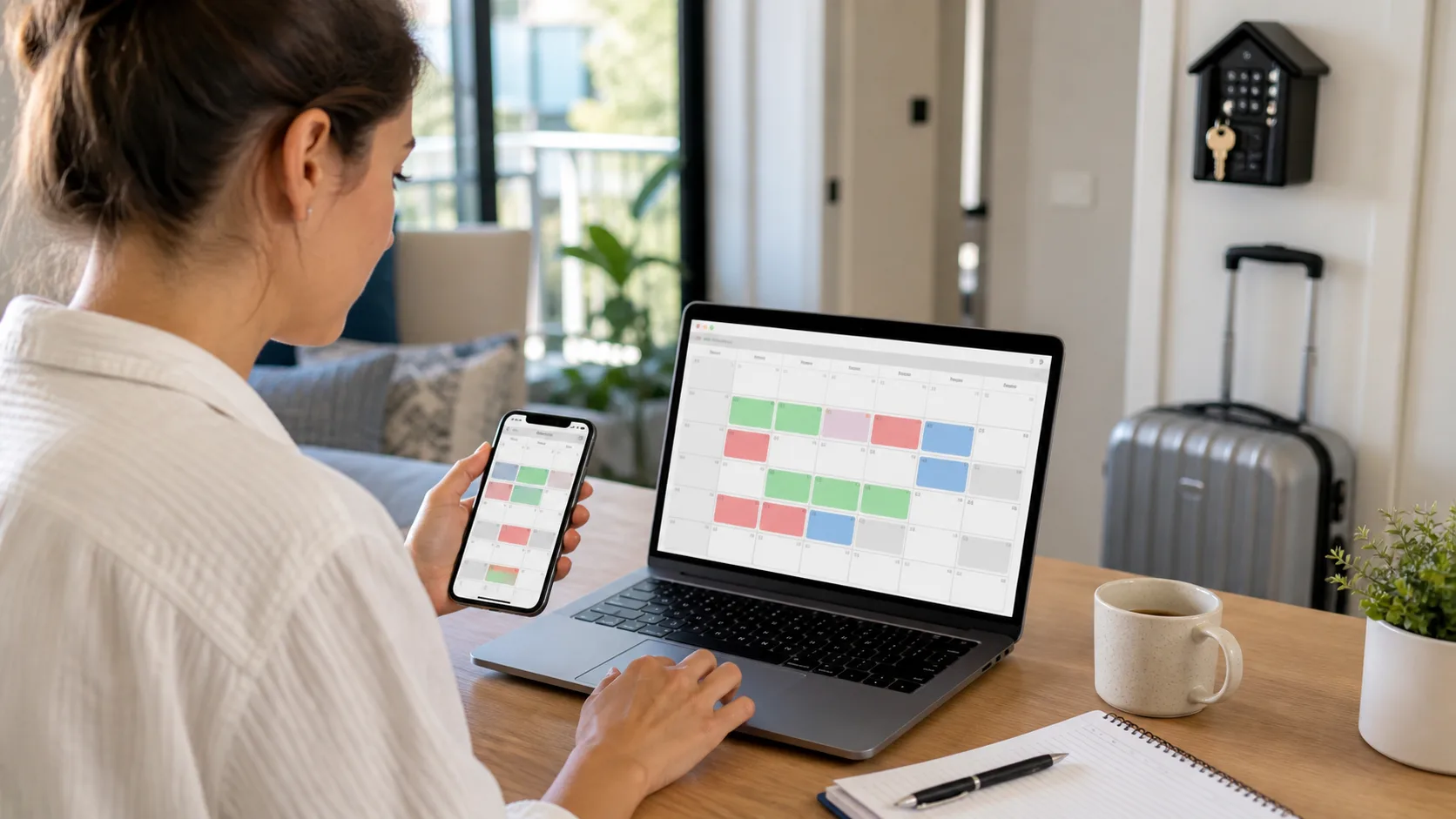
Host checking Airbnb and Booking.com calendar availability on a laptop and phone
Check availability on both channels after an important change instead of relying only on a successful import message.
Two hosts testing a temporary block for Airbnb and Booking.com calendar sync
A controlled test block shows whether the Airbnb and Booking.com calendar connection works in both directions.

Why Airbnb and Booking.com calendars drift apart

A double booking rarely starts with one dramatic technical error. More often, an owner blocks a night on Airbnb, a cleaner needs more time, or a direct enquiry is treated as unavailable before it is confirmed. The calendar feed may carry dates, but it does not explain the operational decision behind the date. Two connected calendars can therefore still show different availability.

When you sync an Airbnb and Booking.com calendar, separate availability from rules. A night may be unavailable because of a reservation, but it may also be affected by minimum stay, preparation time, restricted check-in, a manual block, or a platform rule. Before calling the feed broken, ask which rule created the difference, when it was set, and whether it should exist on the other channel.

Small hosts do not automatically need a complex stack. They need one agreed source for availability, clearly named connections, and a routine for changes. A more central system becomes useful when booking speed, team access, or channel count makes that routine too risky to operate manually.

Before you connect calendars: map the booking journey

Write down every place a date can change before you connect a single feed: Airbnb, Booking.com, your direct-booking form, owner stays, maintenance blocks, cleaning buffers, and any channel manager. For each change, name the person who can make it and the calendar where it is first recorded. This one-page map prevents a common failure: a team member makes a sensible local change that never reaches the availability source.

Then decide what a direct enquiry means in practice. An enquiry is not automatically a block, and a provisional hold needs an expiry rule. When a guest asks about a date, check the source of truth, apply the agreed hold only when it is appropriate, and remove it when it expires. This makes calendar sync part of a reliable sales process rather than a technical task isolated from the way guests actually book.

Step-by-step: sync Airbnb and Booking.com calendar in both directions

1. Choose the source of truth for availability

Before copying an iCal link, decide where a new reservation, manual block, or stay rule is checked first. With a simple setup, that may be Airbnb or Booking.com. If you use a channel manager, its calendar should normally own the decision. Without this rule, sync is only data moving between competing views.

2. Export the Airbnb calendar feed carefully

Open the individual listing rather than a broad account view. Find the exported or linked-calendar area, copy the complete .ics address, and record the listing name beside it. Treat the feed as setup data, not a public link. A clearly named feed is much easier to audit when you add another property later.

3. Import the feed in Booking.com and create the return path

One-way sync is not enough when reservations may arrive on both platforms. Import the Airbnb feed into Booking.com, then add the Booking.com feed back into Airbnb. Name each direction clearly and check that each platform displays the other calendar as connected after saving.

4. Test with a safe temporary block

Choose an unbooked night far enough ahead, create a temporary block in your chosen source, and check the other platform after its normal update cycle. Remove the block only after both calendars have been inspected. A short test is safer than discovering a broken connection while a real guest is trying to book.

5. Build a light control routine

iCal can be useful without being real time. Check new reservations, manual blocks, and short-notice changes as part of your normal day. Your co-host or cleaning partner should also know which calendar is authoritative. That modest routine catches delay before it becomes an awkward cancellation.

When iCal is enough and when a central system is safer

A basic iCal link can suit a quiet operation with few properties, few channels, and one person responsible for availability. It becomes less comfortable when several people edit dates, reservations arrive close together, or an error creates an immediate financial and guest-service problem.

Host Pilot can turn listing information into a direct booking website, a shareable guest guide, and connected guest communication. Availability still needs to come from the right source for your setup. Helpful software should make responsibility and the guest flow clearer; it should not claim that every external calendar update is instant.

Calendar sync checklist after setup

  • Each feed has a clear property and channel name.
  • Both platforms show the reverse connection as active.
  • A test block appears on the other channel.
  • The test is removed and both views are checked again.
  • Minimum stay, preparation time, and arrival rules are checked separately.
  • Everyone who changes availability knows the source of truth.
  • Direct enquiries have a fixed availability-check sequence.
  • Short-notice booking changes trigger a manual review.

Realistic host scenario

A quiet routine prevents a rushed decision

Example, not a customer story: a host with two apartments receives a Booking.com reservation for the following week on Friday evening. The Booking.com calendar is blocked, but Airbnb still appears open. Rather than immediately promising or cancelling anything, she checks the last feed update, the connection name, and the property match. She then creates the necessary block and records what happened for the next weekly review.

The useful habit is a fixed order: check the source, check the other channel, check the rule, then communicate. Calendar sync protects availability. A guest guide and clear scheduled messages can handle Wi-Fi, arrival, and stay questions after the reservation is secure.

Common calendar-sync problems and what to check

The imported calendar is empty

Confirm that the complete feed was copied, belongs to the intended listing, and has been added as an import rather than only exported. Keep a note of which platform exports and which imports before changing several connections at once.

A booking appears late

Treat the delay as an operating risk, not a reason to guess. Check the connection status, review short-notice bookings manually, and use an appropriate buffer. Repeated timing issues are a sign to centralise availability more firmly.

A night is blocked without a reservation

Inspect stay rules first. Preparation time, minimum nights, and arrival or departure restrictions can block a date without a broken feed. Only diagnose the sync itself after those rules have been ruled out.

Several people edit availability

Assign a responsible role and a short change process. The team does not need a meeting for every block, but it does need to know the authoritative view, when an update must be shared, and how an exception is recorded.

Build the rest of the booking workflow

Calendar sync is one part of a dependable reservation workflow. Once availability is clear, reservation details, arrival information, and repeated guest questions need an equally clear path.

Simple solution

Use one sync workflow that keeps Airbnb and Booking.com reservations aligned so availability stays accurate across channels.

Start free trial

2 min - see exactly how it works

Why hosts use this

Hosts usually look for sync airbnb booking calendar when they want a simpler way to handle guest communication, arrivals, bookings, or day-to-day operations without adding extra admin.

Reduce double-booking risk

Keep dates aligned across your main channels so blocked nights stay blocked everywhere.

Spend less time checking availability manually

A synced calendar reduces the need to compare platforms before every direct or OTA booking decision.

Protect guest trust and operations

Accurate availability means fewer awkward cancellations and fewer emergency reschedules.

Typical sync scenario

Optional example

A reservation lands on Booking.com and the same dates need to stop showing on Airbnb immediately so the property cannot be sold twice.

Quick FAQ

Quick answers for hosts comparing options and trying to fix guest communication, arrival, and operations pain points.

What is this?

This is a calendar sync workflow for hosts who need Airbnb and Booking.com availability to stay aligned across channels.

How does it work?

Your booking data syncs across connected channels so reservation updates and blocked dates are reflected more reliably.

Can I use it with Airbnb/Booking?

Yes. This page is specifically focused on keeping Airbnb and Booking.com calendars synced for small host operations.

How do I sync Airbnb and Booking.com calendars?

Export Airbnb iCal, import it into Booking.com, then add the Booking.com feed back into Airbnb. Test both directions with a temporary block. One-way sync does not protect availability when reservations can arrive on either channel.

How quickly does an Airbnb Booking.com calendar update?

Update timing depends on the platforms and their feed-fetch schedule. Treat iCal as a useful connection, not a real-time promise. Check the destination calendar after an important change and use a safer process for close booking windows.

Does iCal completely prevent double bookings?

No. It can reduce risk, but it does not replace a clear source of truth, sensible buffers, or checks after changes. A more central system is worth considering when multiple people, listings, or fast bookings make feed delays costly.

Related pages

Browse nearby host workflows from the hub so you can compare practical next steps without starting over.

Start free trial

Use Host Pilot to connect guest communication, guest guides, direct bookings, and operations in one workflow built for smaller host teams.