Import once

Turn your Airbnb or Booking.com listing into a direct booking website and guest guide.

Vacation rental dashboard

One vacation rental dashboard for daily hosting operations

See stays, portfolio occupancy, reservations, tasks and cleaning handoffs in one focused operating view.
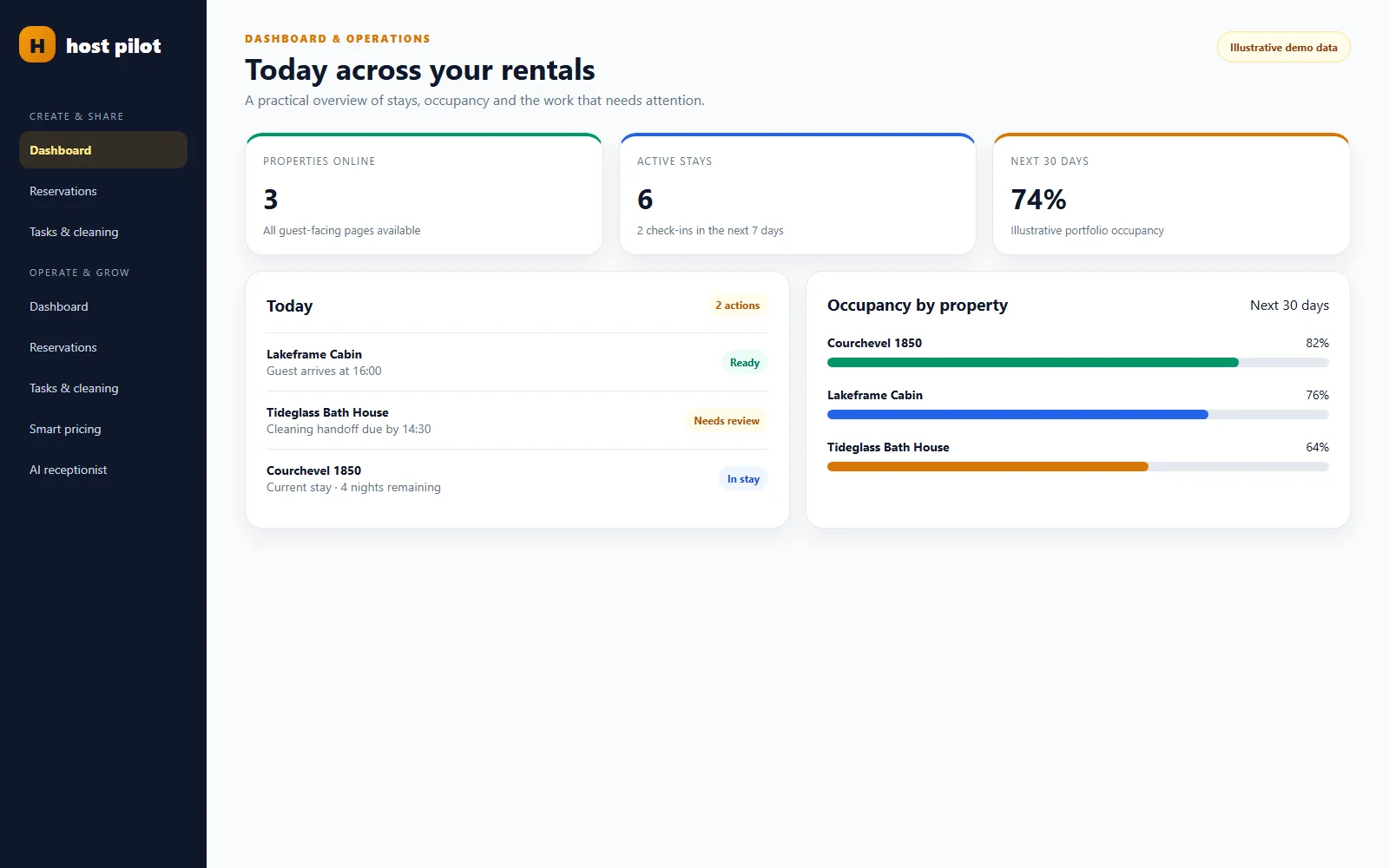
A portfolio overview for today’s stays and exceptions.

Vacation rental dashboard

What is a vacation rental dashboard?

A vacation rental dashboard is a daily operating view of properties, reservations, occupancy, tasks and cleaning handoffs. Host AI brings those records together so a host can spot what needs attention, then open the underlying item instead of managing from a summary alone.

Product proof

See the workflow before you sign up

Real Host AI interfaces with sanitized, illustrative demo data. Sample concepts are clearly labeled and never presented as customer results.
A portfolio overview for today’s stays and exceptions.
A portfolio overview for today’s stays and exceptions.A portfolio overview for today’s stays and exceptions.Illustrative product screen
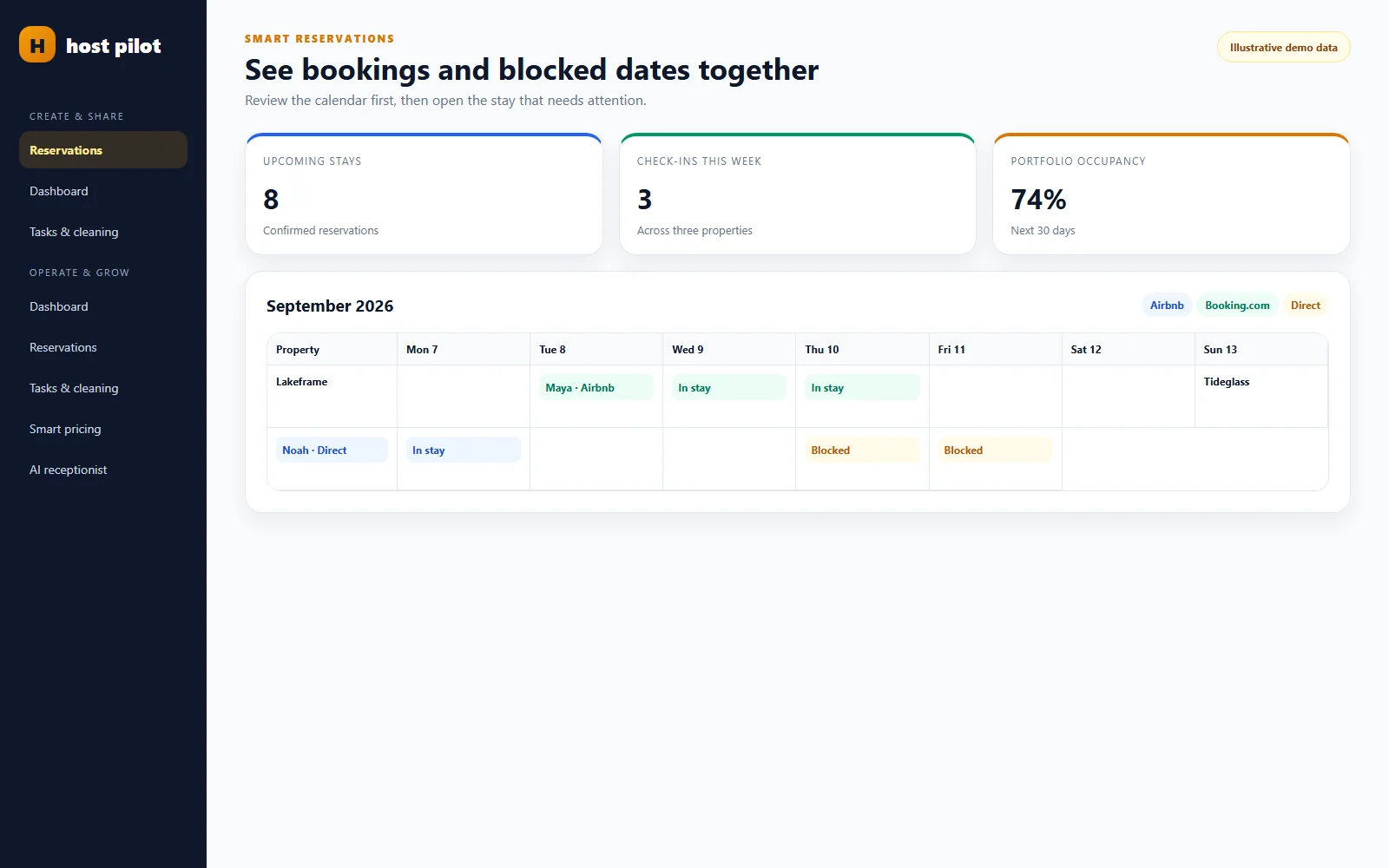
Bookings, blocked dates and occupancy in one reservation view.
Bookings, blocked dates and occupancy in one reservation view.Bookings, blocked dates and occupancy in one reservation view.Illustrative product screen
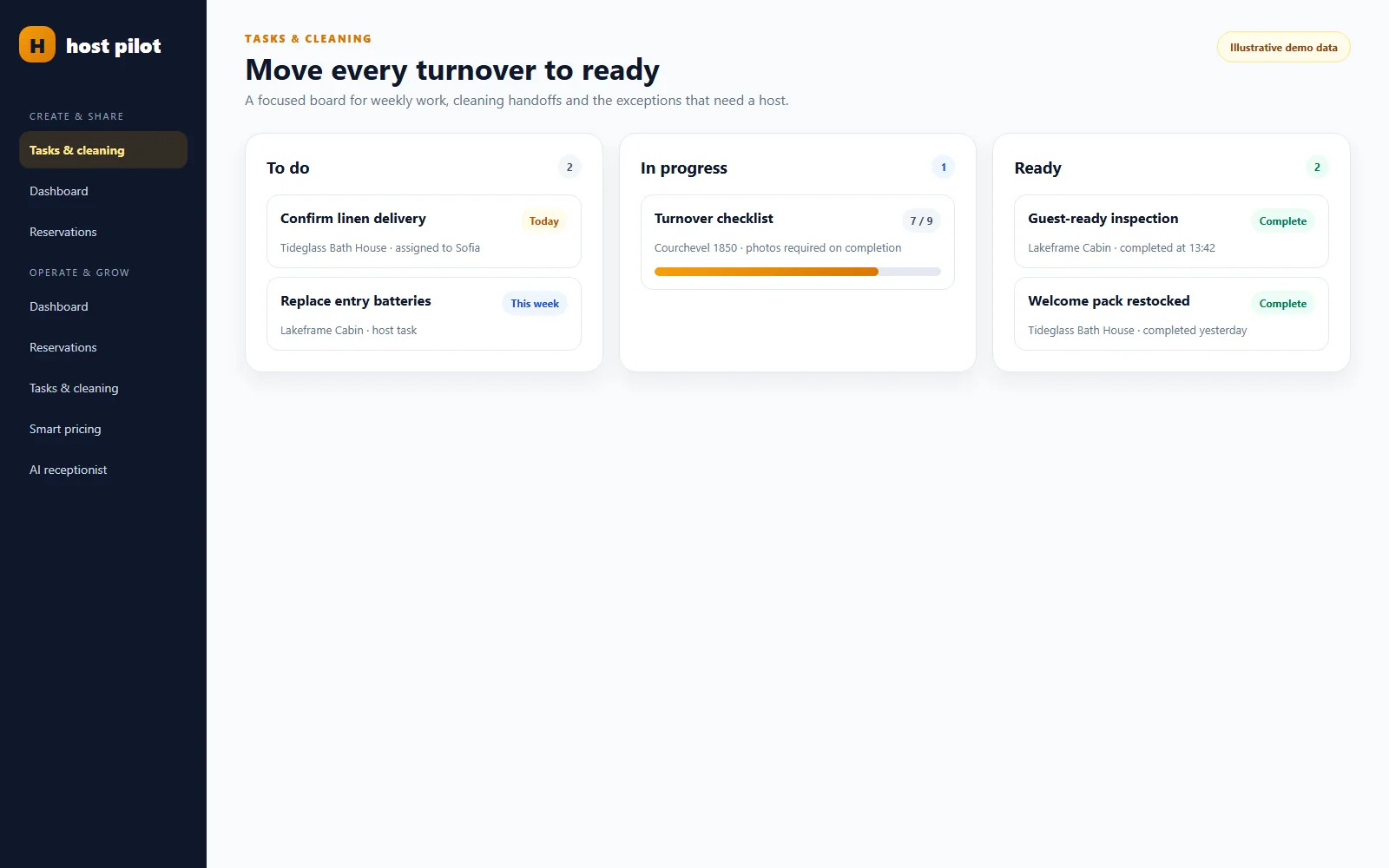
Weekly tasks and cleaning handoffs moving toward ready.
Weekly tasks and cleaning handoffs moving toward ready.Weekly tasks and cleaning handoffs moving toward ready.Illustrative product screen

How it works

A realistic hosting day in the Host AI dashboard

1

Scan today’s operating picture

Review arrivals, departures, occupancy and visible exceptions across the portfolio.

2

Open the record behind an exception

Check the reservation, property or task details before deciding what changed and who needs to act.

3

Complete the handoff

Update the relevant work, share the cleaner view where appropriate, and return to the dashboard to confirm the next priority.

What can a host decide from the portfolio and reservation views?

The dashboard is for triage. It makes the daily shape of the portfolio visible without pretending that every decision can be made from one metric.

  • Which properties have arrivals, departures or occupied nights
  • Which reservation or blocked-date record needs closer review
  • Which cleaning or task handoff is not yet in the expected state

How fresh is the data in a vacation rental dashboard?

A dashboard is only as current as its connected property and reservation records. External booking changes follow the timing of the connected calendar or source.

  • Open the underlying record when a summary looks unexpected
  • Distinguish a real operational exception from a delayed external update
  • Confirm urgent same-day changes directly with the people involved

Host AI dashboard versus a hosting spreadsheet

A spreadsheet can be flexible; a connected operating view reduces repeated reconstruction.

Portfolio scan
Host AIProperties, stays and work appear in a consistent operating view.
SpreadsheetThe host designs and maintains formulas, tabs and status conventions.
Record context
Host AISummary items lead back to the relevant property or reservation workflow.
SpreadsheetLinks and source records must be maintained manually.
Team handoff
Host AICleaning and tasks can be viewed beside stay context.
SpreadsheetCopies sent through chat or separate sheets can drift.

What this changes for a host

  • Know what needs attention today
  • Review reservations before opening individual records
  • Keep turnover work visible across the team
  • Use one property record across guest and operating workflows

A focused product, not a vague promise

Independent hosts and small teams that need a clear daily picture rather than another complex enterprise system.

Important to know

Dashboard metrics depend on the reservations and property data connected to Host AI. Values shown here are illustrative and are not customer performance claims.

Frequently asked questions

What is a vacation rental dashboard?

It is a consolidated view used to review properties, reservations, occupancy and operating work before opening the detailed records.

Can the dashboard show several properties?

Yes. The portfolio view is designed to make current stays and exceptions visible across the properties in Host AI.

Does it replace a full property management system?

Not necessarily. Host AI provides a focused operating workspace for its current features; a large operation may still need specialist accounting, channel or workforce systems.

Where do reservation changes come from?

They come from the property and reservation data connected to Host AI. External changes arrive according to the connected source’s update timing.

Can I share cleaning dates from the dashboard?

Use Cleaner Calendar to share a focused, read-only schedule without giving the cleaner access to the full dashboard.

Are the figures in the product screenshots customer results?

No. The screenshots use sanitized illustrative data to demonstrate the interface and are not performance claims.

Start with one property

Create the workspace, review the result and decide what goes live.

Start free