Vacation rental cleaning calendar
A vacation rental cleaning calendar your cleaner can open from one link
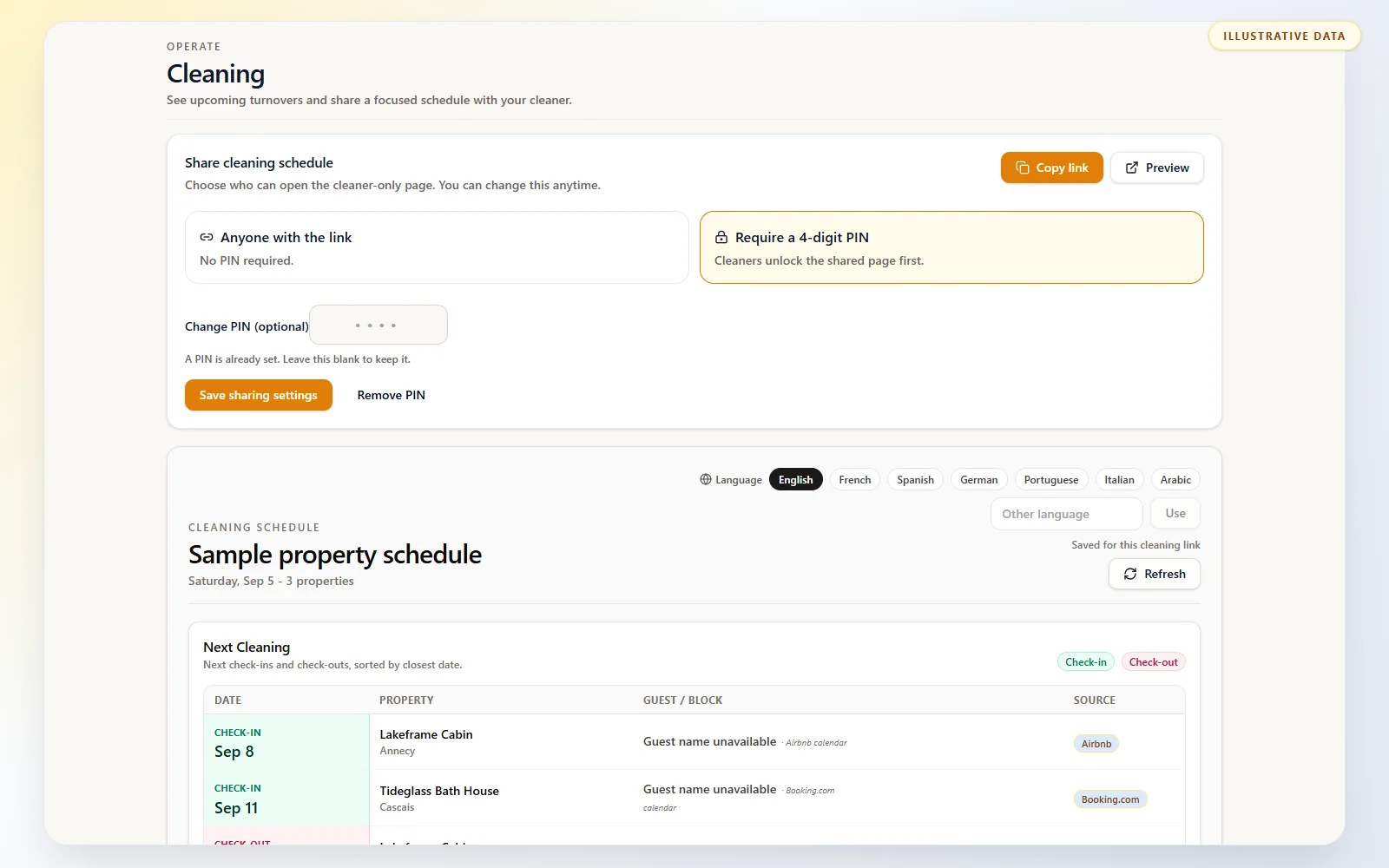
Turn the reservations already in Host AI into a focused, read-only cleaning schedule. Share one mobile-friendly link, add an optional 4-digit PIN, and let your cleaner see upcoming turnovers without a Host AI account.
- No cleaner account
- Optional 4-digit PIN
- Mobile-ready
- Cleaner-selectable language
One current schedule
Stop copying every reservation change into chat
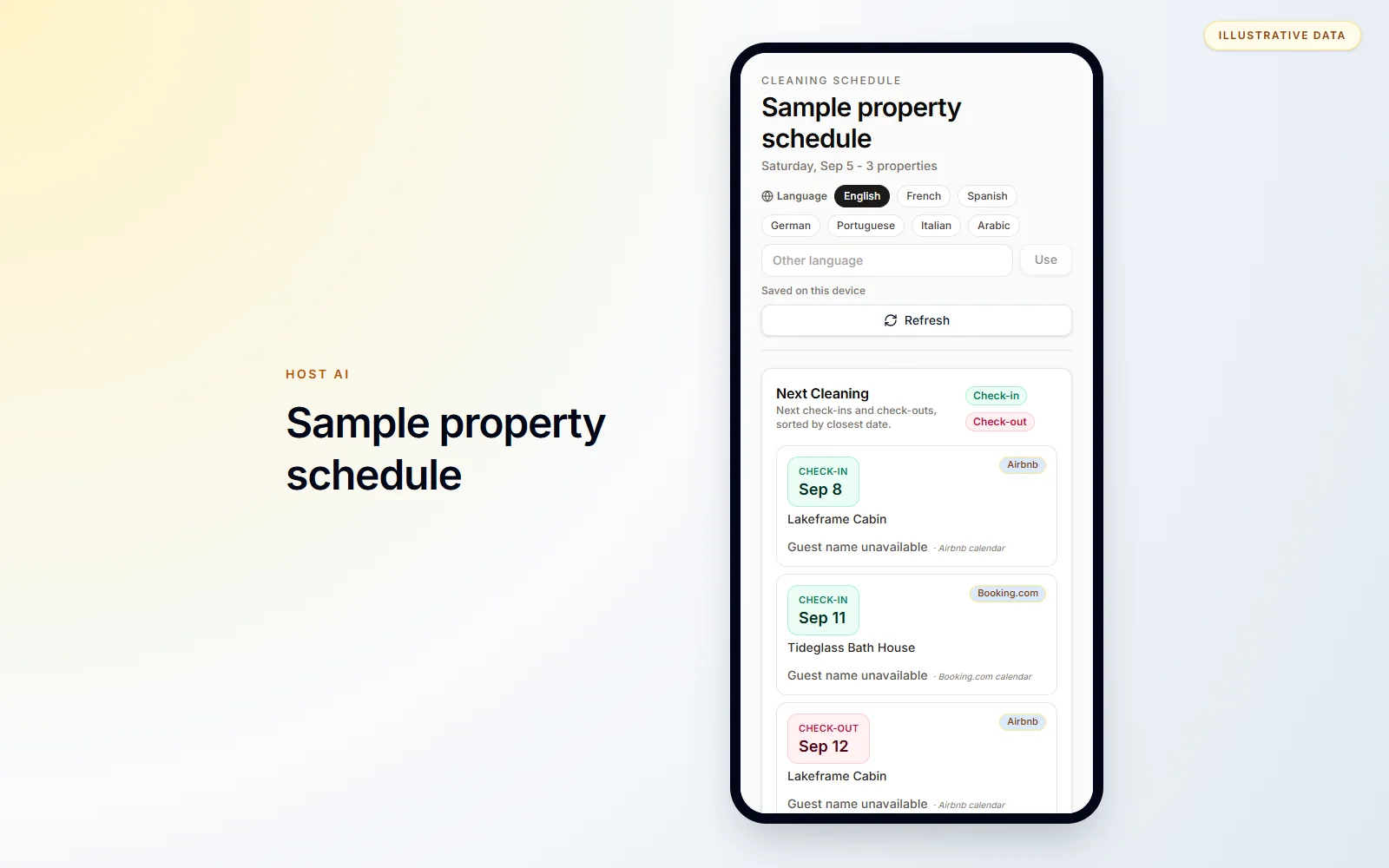
Cleaner Calendar turns the reservations already visible in Host AI into one read-only schedule. Share the stable link once; the cleaner can refresh it to see the latest dates that have reached Host AI. For urgent same-day changes, confirm directly as well.
Product proof
See the workflow before you sign up
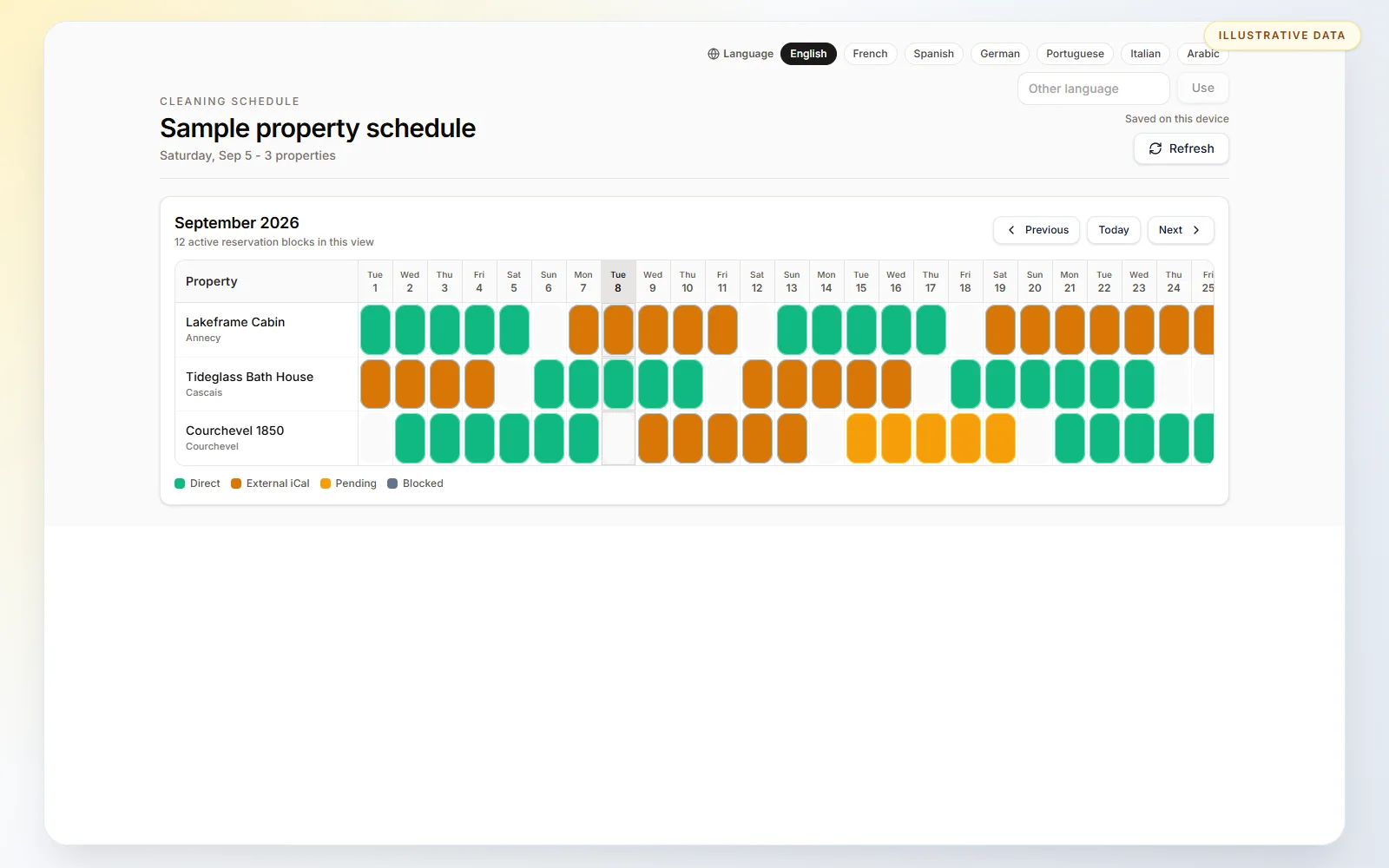
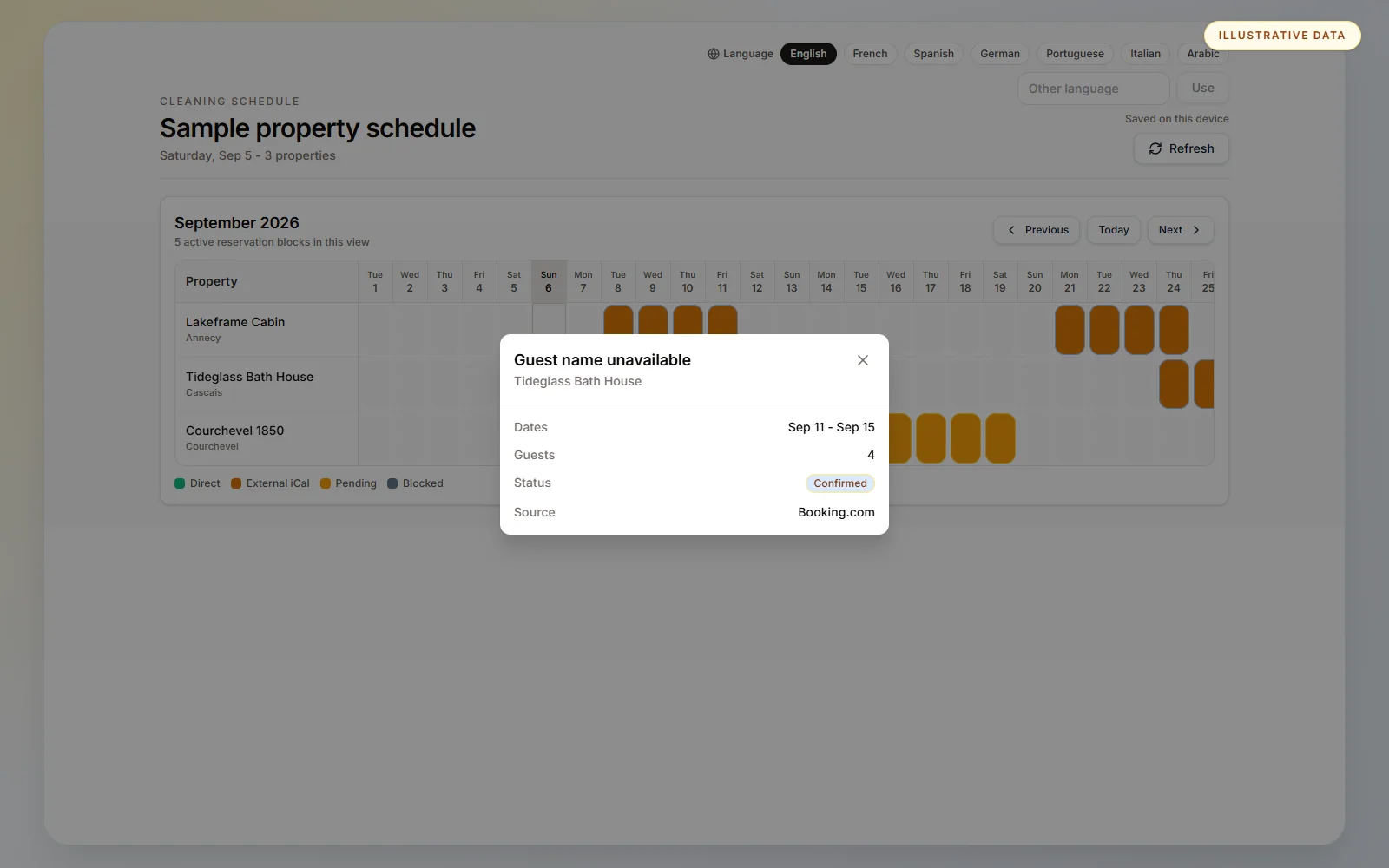
Real Host AI interfaces with sanitized, illustrative demo data. Sample concepts are clearly labeled and never presented as customer results.
How it works
Share a vacation rental cleaning calendar in three steps
Open Cleaning
Add the property and reservation data in Host AI, then open Cleaning from the dashboard.
Choose access
Share the stable link as link-only access or protect it with a four-digit PIN.
View the schedule
The cleaner opens upcoming turnovers or the monthly calendar and refreshes when needed.
The useful reservation context—without dashboard access
The cleaner page is deliberately read-only. It shares the operational dates needed for a turnover while keeping the rest of the Host AI workspace private.
The cleaner may see
- Property and stay dates
- Check-in and check-out
- Guest count
- Booking source and reservation status
- Guest name only when the reservation record provides it
What remains private
- Host AI dashboard access
- Guest phone numbers and email addresses
- Payment and payout details
- Property-management controls
What this changes for a host
- Replace copied calendar updates with one shared schedule
- Give cleaners a focused view without a Host AI login
- Keep multiple properties visible in one calendar
- Protect the shared page with an optional PIN
A focused product, not a vague promise
Independent hosts and small portfolios that already work with a cleaner and need a simpler way to share current arrival and departure dates.
Before the link is ready
Host AI needs the properties, reservation data, and a website site slug to create the stable public link. Connected-calendar timing determines when external booking changes arrive.
Important to know
Cleaner Calendar is a shared read-only schedule, not workforce-management software. It does not assign cleaners, send notifications, run checklists, collect completion photos, confirm work or handle payments.
Frequently asked questions
What is a vacation rental cleaning calendar?
It is a schedule of upcoming guest arrivals, departures and occupied dates that helps a host and cleaner see when a turnover is needed. Host AI builds the read-only view from reservation data already in the workspace.
Does the cleaner need a Host AI account or app?
No. The cleaner opens a shared web link in a browser. The page is mobile-friendly and does not give access to the host dashboard.
Can the shared calendar be PIN-protected?
Yes. The host can use link-only access or require a four-digit PIN before the cleaner schedule opens.
Which reservation details can the cleaner see?
The schedule may show the property, dates, check-in and check-out, guest count, booking source, reservation status and a guest name when the reservation record provides it. It does not show guest contact or payout details.
How do Airbnb or Booking.com changes reach the schedule?
Cleaner Calendar reads the reservation data available in Host AI. The connected-calendar sync timing determines when an external booking change appears, so urgent same-day changes should also be confirmed directly.
Can cleaners mark a turnover complete?
No. The cleaner page is currently read-only and does not include assignments, checklists, completion confirmation or photo evidence.
Can one schedule show multiple properties?
Yes. The upcoming list and monthly calendar can show reservations for multiple Host AI properties in one cleaner view.
What happens when a reservation changes or is cancelled?
After the updated reservation reaches Host AI, refreshing the cleaner page shows the current dates and status. It does not send an automatic cleaner notification.
Explore the core Host AI workflow
Create your cleaner calendar
Add the property and reservations to Host AI, then share the focused cleaner view by link.
Create my cleaner calendar