Private calendar diagnostic

Troubleshoot an iCal calendar that is not refreshing

Find the next safe check without exposing the private feed or deleting a working connection too early.

Short answer

Start with the failing direction and exact symptom. Preserve live availability, test one harmless date, and escalate with evidence when the destination has exceeded its documented refresh behavior.

Describe the failure

Private by design. This diagnostic never asks for or fetches a private calendar URL.

Next action

Wait and verify

  1. 1Vrbo says imported events may take up to 20 minutes to appear; keep the source block in place and check again.
  2. 2Use the destination platform's manual refresh control when it is available, then record the result.
  3. 3Test the reverse direction separately; one working connection does not prove the other direction.
  4. 4Do not delete the only working feed until its replacement has passed a block-and-remove test.
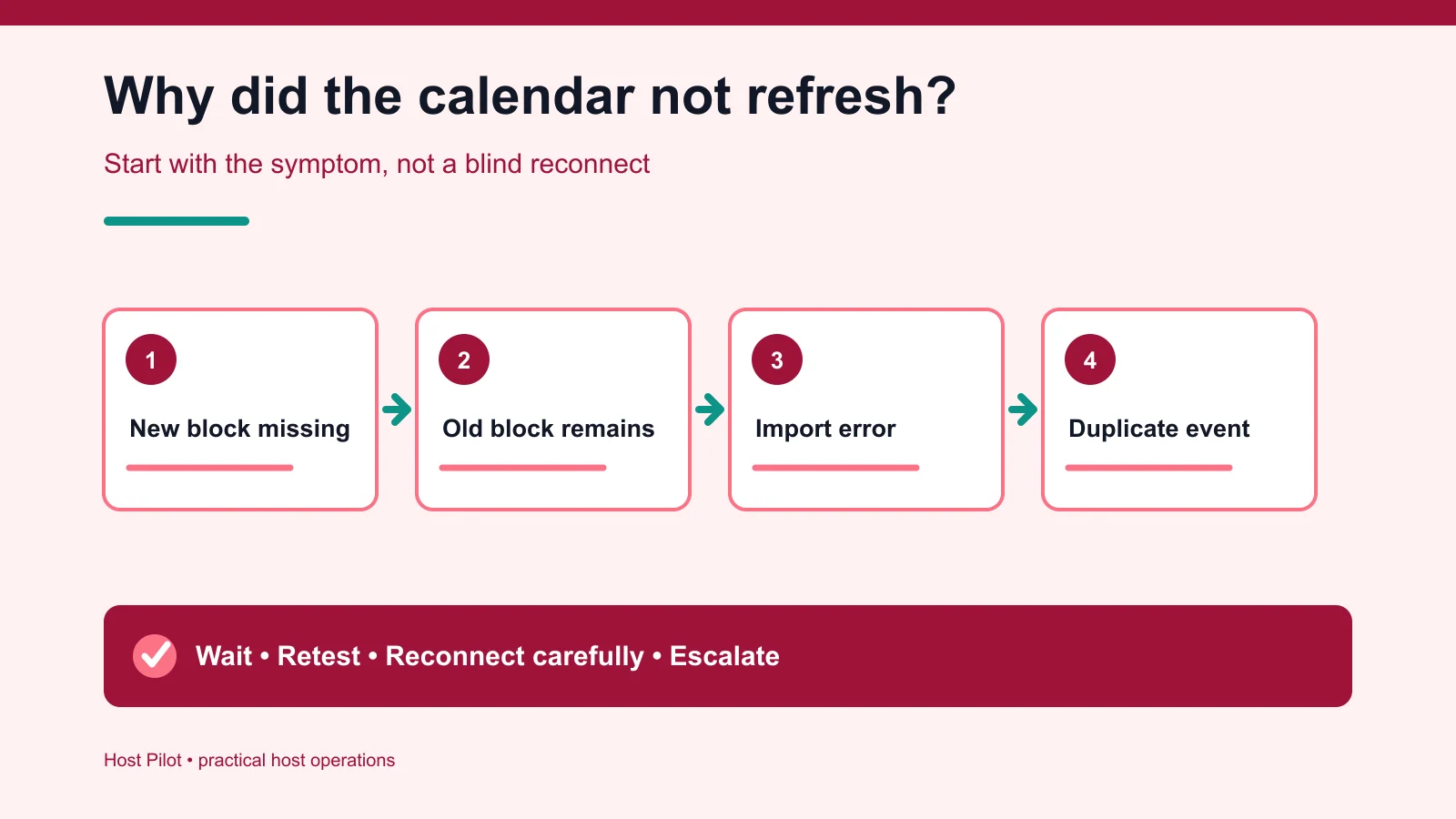
Decision tree for stale and missing iCal calendar events
Start with the symptom, preserve live inventory, and test the failing direction separately.
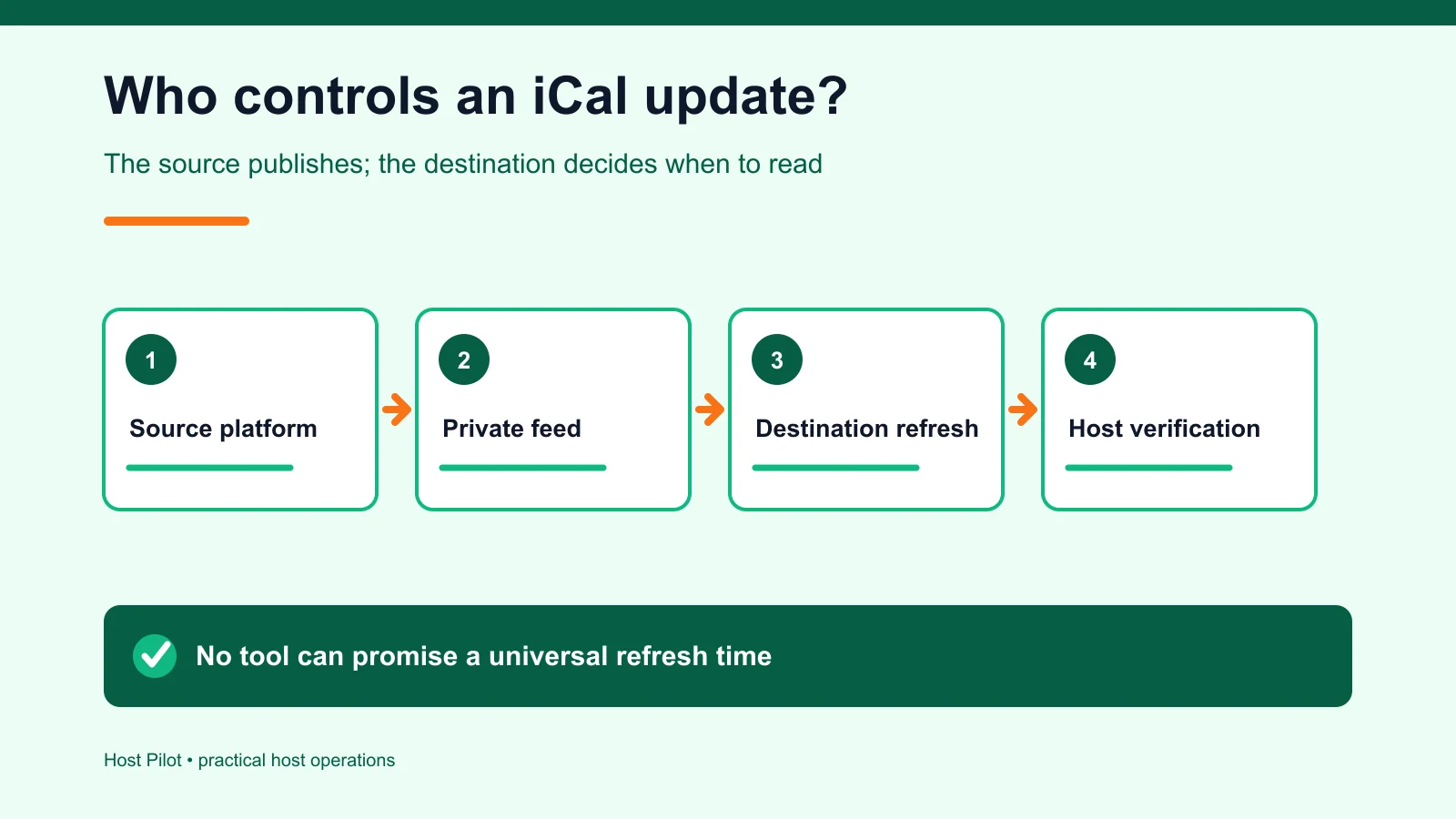
Responsibility map between source feed, destination refresh and host verification
The source publishes availability; the destination controls import timing; the host verifies the result.

Sources checked September 20, 2026. Platform behavior and commercial terms can change.

Diagnose the direction before changing the connection

A missing new block, a stale removed block, an import error, a duplicate event and a wrong-listing URL require different checks. Identify which calendar publishes the event and which destination imports it. The destination controls when it reads the source feed, so diagnose one direction and one symptom at a time.

Continue the workflow: Check the private link format

Preserve working availability while you test

Document the current connection, use a manual refresh where available and test one harmless future date before reconnecting anything. Capture the source event, destination view, connection name and test time for support. Never publish the private feed URL or delete the only working feed before its replacement passes both an add and remove test.

Continue the workflow: Run the Airbnb–Vrbo controlled test

Questions hosts ask before acting

Why is my iCal calendar not refreshing?

The cause may be destination refresh timing, a wrong feed, a one-way setup, duplicate imports or an event that was removed but has not yet cleared.

Should I delete and reconnect the calendar immediately?

Not usually. First identify the working direction and record the current connection. Reconnect only when you can test the replacement without opening live dates.

Can this tool check my private feed?

No. It deliberately avoids collecting or fetching calendar addresses. Use the separate private format checker for URL-shape questions.

Why does a removed block still appear?

Imported events and removals can refresh at different times. Test one controlled future block and its removal before changing live inventory.

What evidence should I give platform support?

Provide source and destination listing names, the test date, screenshots, direction, event dates, connection name and manual-refresh result. Do not publish the private feed URL.

Check the address without exposing it

Use the private iCal format checker when the problem is the calendar address itself, then return to a controlled block-and-remove test.